How to put a portfolio website online without hosting it
No server to rent, no static host to configure and no build step. Three steps to a real page, and an edit key the moment it goes live.
— the page, not the plumbing.
The usual gap between having work worth showing and having a page showing it is not design. It is infrastructure: a host, a domain, a build step, a deploy, a certificate, and a set of decisions that have nothing to do with your work. Most people stop somewhere in the middle of that list.
The portfolio builder removes the list. Three steps, and none of them is a server.
Step one: choose a design
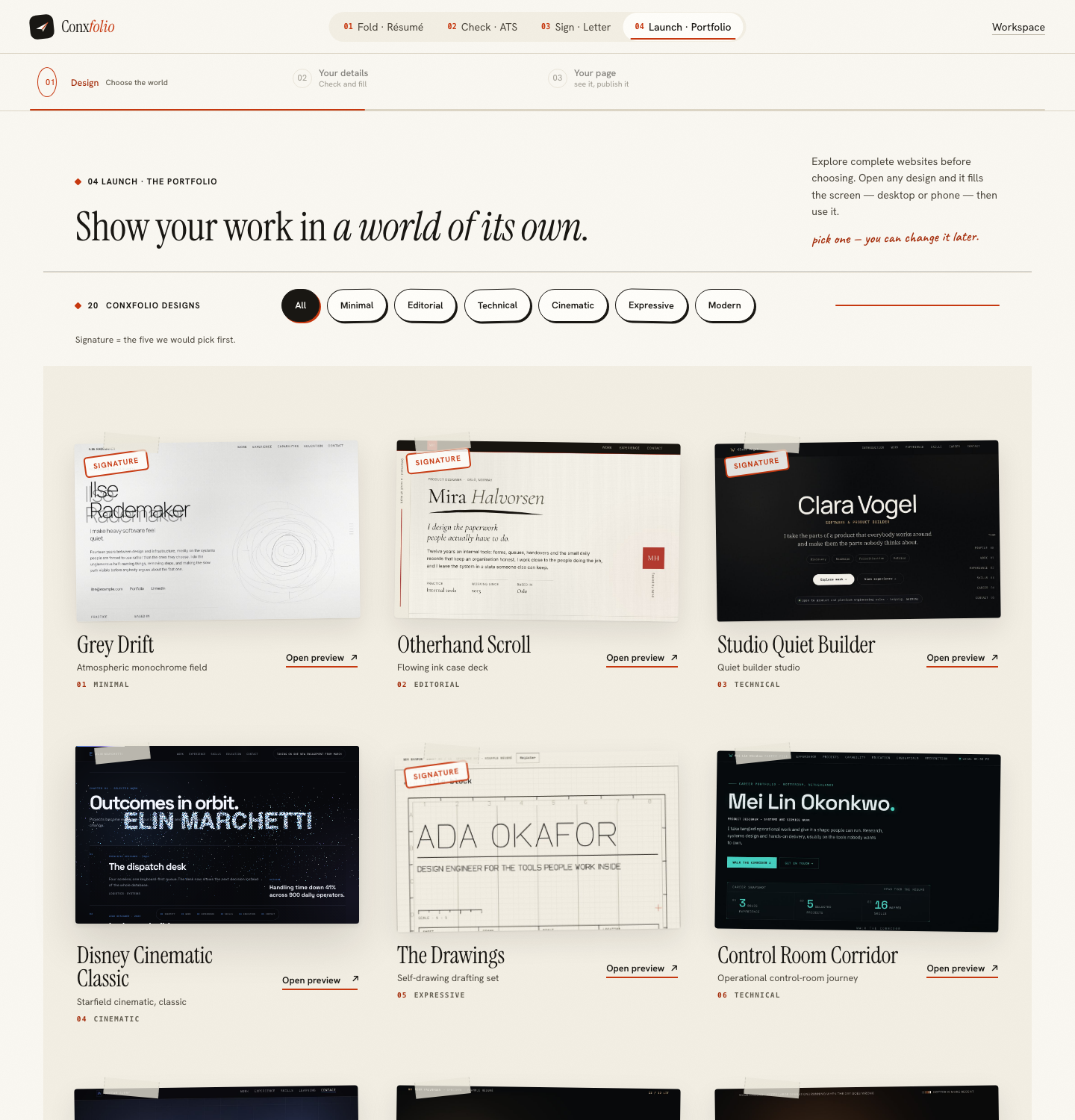
The gallery holds 22 designs, filterable by the kind of work (Design, Engineering, Product, Operations) and by light or dark. Each one is a complete page that was drawn and built rather than a theme applied to a shell, which is what an authored design means and why they do not look like each other.
A card opens full size, with Desktop and Phone views of the same page, so the judgement you make is about a page rather than a thumbnail. The choice is reversible: changing design later leaves your entries alone.
Step two: fill it from your résumé
The builder asks how you want to start. Fill from my résumé brings in the roles, projects and outcomes already in your résumé, after a review of what was read; Start typing gives you empty fields. The sections sit down a rail on the left, each with a count of what it holds, every entry has a Shown or Hidden switch, and empty fields do not print.
A project here is a name, your role, a period and an outcome, the one line about what changed, with an optional subtitle, short description, highlights, link and tags. That shape is deliberate, and the guide on what to put in a portfolio covers choosing between entries.
Step three: the page itself
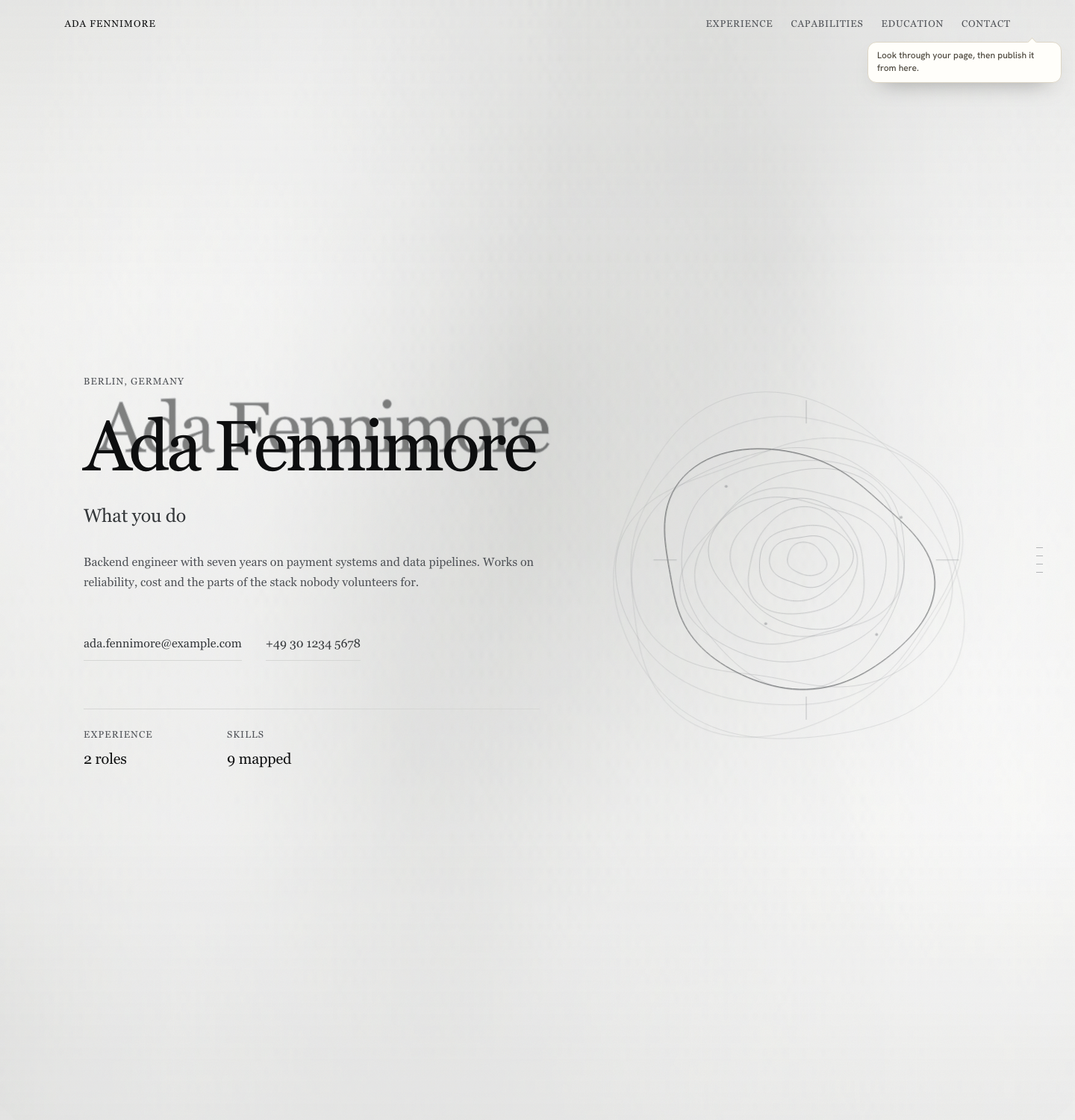
Preview & publish opens your own page over the builder, rendered, with a Desktop and Phone switch and a control to change design. This is the page, not a preview of a page, which is the point: the thing you approve is the thing that goes out. The phone frame renders at 390 pixels, which is covered in phone width is the page that publishes.
Publishing, and the one email
Publish opens a sheet over the page, headed "Free launch. Unlimited edits." It needs one thing before publishing: an address. The address field takes lowercase letters, digits and dashes, between 3 and 63 characters, and it is checked against a reserved list and the addresses already taken. Checking it directly over its own endpoint returns a plain answer: a free name comes back available, a two-letter name comes back as an invalid format, and words like admin and resume come back as reserved.
Then the page goes live and the sheet shows your edit key and a recovery code, once. The key opens the page for editing on any device at conxfolio.com/edit; the recovery code makes a new key if the first is lost. No email is asked for, and a recovery email is there only if you want one.
The sheet also states that the page is private and noindexed until you press Publish, so nothing is exposed while you are still deciding. Taking it down again is covered on unpublishing a portfolio.
What this does not give you
It does not give you your own domain name. The address is a name under the site's own domain, which is the subject of a portfolio address without buying a domain. It does not give you arbitrary pages, a blog engine or custom code, because the designs are finished pages rather than a framework. And it does not write your entries: a project you have not done will not appear because a builder wanted the section to look full.
When hosting is the better answer
If you want a site with many pages, your own domain from the first day, a writing habit, or code you control, rent hosting and build it. That is a genuinely different project with a genuinely better outcome for those goals. This is for the common case, which is one good page about your work, online this evening.
What goes on the page
Fewer things than you expect. Three or four pieces of work, each with a name, a year and one line about what changed, will read better than eleven entries with nothing said about any of them. The builder takes the material from your résumé precisely so that the editing work is subtraction rather than invention, and the rail counts what each section holds so you can see the total.
If the work is confidential or unphotographable, say what changed rather than showing the artefact. The guide on case studies covers writing an entry when the output cannot be shown, and the one on how many projects covers the count. The page renders at desktop and phone width before anything is public, so both readings are checked.
Build the page, skip the plumbing
22 authored designs, built from the work already in your résumé. Free, no hosting, no account.
Open the portfolio builderLook at the designsQuestions
- Do I need to buy hosting
- No. The page is served from here once you publish it, so there is no server to rent, no static host to configure and no deploy step.
- Do I need to write any code
- No. The designs are complete pages that render your entries. There is no template language and no build.
- Does it want an email address
- No. Publishing gives you an edit key and a recovery code instead, and whoever holds the key can edit the page on any device. A recovery email is optional, only if you want a way to get a new key.
- Is the page public before I publish it
- No. The publish sheet says it plainly: the page is private and noindexed until you press Publish.
- Can I take it down again
- Yes. Once the page is live, the publish sheet shows its address with Update the live page and, under it, Unpublish; on another device, open the page with its edit key first.
- What does the page cost
- Nothing, including publishing and the address.
Conxfolio is a free set of four career tools: a résumé builder with 37 rendered layouts, an ATS résumé checker that prints its own arithmetic, a cover letter builder that traces every proof paragraph back to the line it came from, and a portfolio builder with 22 authored designs. There is no account to create, nothing is held back for a paid plan, and no language model is used anywhere in the product, so the readers, the score and the letter are deterministic code you can check.