How to turn a résumé into a portfolio website
The material for a portfolio is already written. It is in the roles, projects and outcomes on your résumé, filed in a shape built for paper rather than for a page.
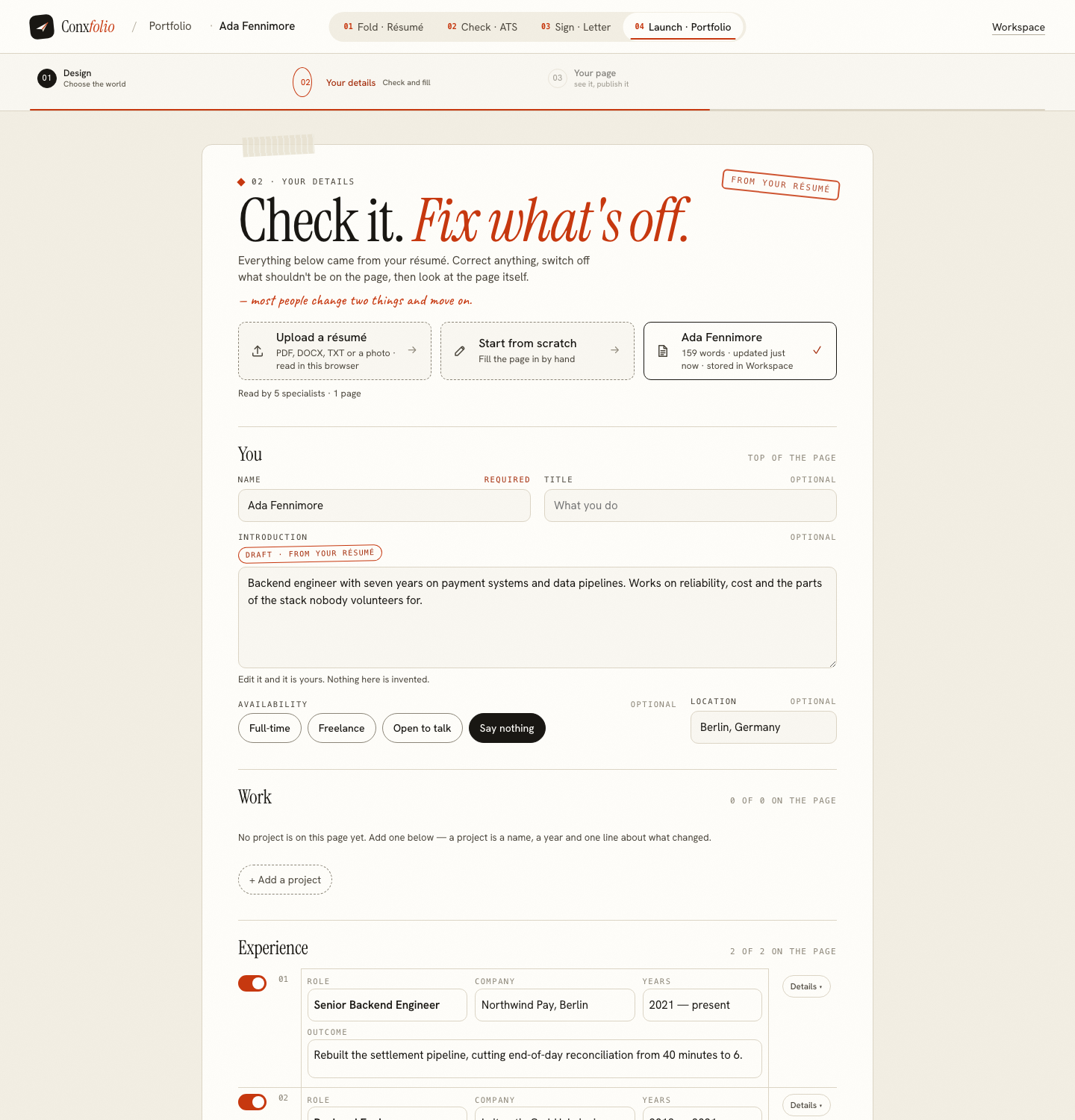
— nothing here is invented. You switch things on.
A résumé and a portfolio page contain the same facts in different shapes, and each is better at a different job. The résumé is a record, ordered by time, compressed for a reader with ten seconds. The page is an argument, ordered by importance, with room for a sentence about what changed. Turning one into the other is mostly a question of re-filing.
Which is why the portfolio builder here starts from the document you already have rather than an empty form.
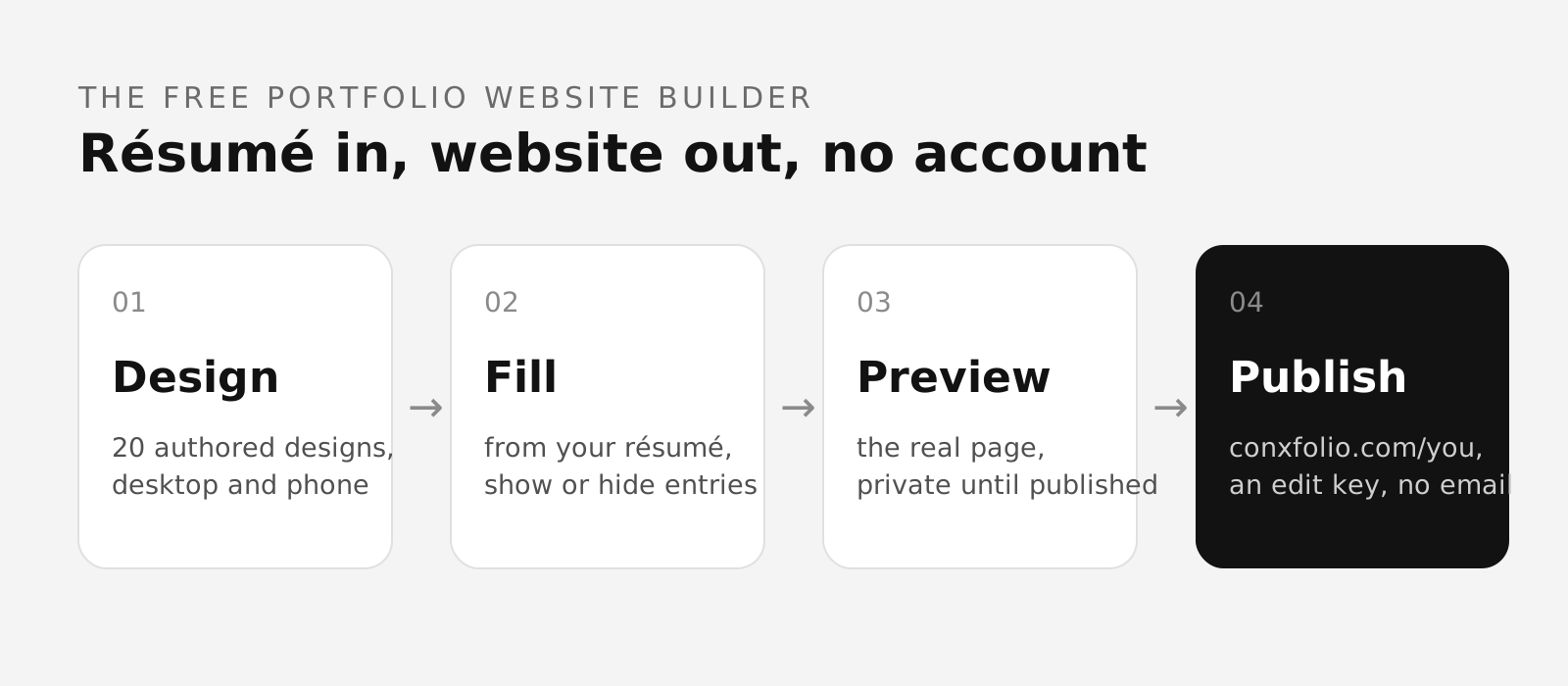
Choose a design
The portfolio gallery holds 22 designs, which you can filter by the kind of work (Design, Engineering, Product, Operations) and by light or dark. Each is a complete authored page rather than a theme with your colours dropped in, so the card you are looking at is the page you will get.
Opening a card fills the screen with the design at full size, with a desktop and a phone switch and arrows to walk through the set. "Use this design" takes you into the builder, and switching design later rewrites nothing you wrote.
Fill it from your résumé
The builder asks how you want to start: Fill from my résumé, or Start typing. Filling from a résumé uses the same import as the rest of the site, upload or paste, with a review of what was read before anything lands on the page. After that the sections sit down the left-hand rail:
- Personal details: name, an optional title, an introduction, an availability setting (full-time, freelance, open to talk, or not shown) and a location.
- Projects: the work you want to show, one card each.
- Experience and Education, carried over from the résumé.
- Skills and Languages.
- Additional sections, for anything that does not fit the others.
- Contact & links: email, phone and links; empty ones do not print.
Each rail item carries a count of what the section holds, so the rail is also an inventory, and the page on the right updates as you type. A field you leave empty stays empty on the page: nothing is invented to fill it.
Preview and publish
Preview & publish opens the real page over the builder, at desktop or phone width, with the design's own name on it. This is the page itself rather than a preview image, which is the point: what you approve is what publishes. The phone half of that switch matters more than it sounds, because it is the width most first visits arrive at.
Publishing
Publishing opens over the page and asks for an address before it will go live: you type the handle you want, and the rules are stated on the sheet as lower-case letters, digits and dashes, between 3 and 63 characters. There is no account and no email: you get an edit key that opens the page for editing on any device. A recovery email is optional, and if you leave it empty no email is stored. The page is private and noindexed until you press Publish.
That optional recovery email is the only place in this product that offers to take one. Everything before it, including every design and both widths, works with no account at all. Choosing the address goes through what makes a good handle.
What to change while you are in the builder
Two things are usually worth the time. The first is the outcome line on each role, because a portfolio page gives it more room than a résumé bullet did, and one sentence about what changed is worth more than three about responsibilities. The second is switching things off. A page that shows everything is a résumé with pictures; a page that shows four things is a portfolio.
If the underlying material is thin, the fix is upstream. Writing the résumé properly improves both documents at once, because the page is reading from it.
What this does not do
It does not write your entries and it does not add projects you have not done. It has no view on whether a page gets you work. What it does is take material you already wrote, put it into a page somebody designed by hand, and let you look at the result at both widths before anybody else can.
What to do before you start
Spend five minutes deciding what the page is for. A page aimed at one kind of role is a page that can leave things out, and leaving things out is the only editorial power a portfolio has. A page aimed at everybody keeps everything and argues nothing.
The practical form of that decision is a sentence you write for yourself and never publish: this page exists to convince a particular kind of reader of a particular thing. Every later choice about which entries to switch off answers to it, and the choices get faster because the criterion already exists. Without it the builder becomes a list of everything true about you, which is a document you already have.
Start from the design
Open a design full screen at desktop and phone width, use it, and the builder fills from the résumé you already have.
Open the portfolio builderSee the 22 designsQuestions
- Do I need to write anything new
- Not to get a page. Fill the builder from your résumé, and the work is correcting entries and switching off what does not belong. Most people change two things and move on, which is what the sheet says at the top.
- Does it invent projects or descriptions
- No. The builder marks where the draft came from: the Source in its toolbar names your résumé, and every field stays yours to edit. A field it could not read stays empty for you to fill.
- Do I need to code
- No. The 22 designs are complete hand-built pages, and choosing one is the whole of the design work.
- Does it cost anything
- No. Every design, both widths and publishing are free. Publishing asks for an address and gives you an edit key; no email is needed.
- Can I take the page down again
- Yes. A published page can be unpublished by whoever holds its edit key.
Conxfolio is a free set of four career tools: a résumé builder with 37 rendered layouts, an ATS résumé checker that prints its own arithmetic, a cover letter builder that traces every proof paragraph back to the line it came from, and a portfolio builder with 22 authored designs. There is no account to create, nothing is held back for a paid plan, and no language model is used anywhere in the product, so the readers, the score and the letter are deterministic code you can check.