How to write a résumé, section by section
A résumé is a record of what you have done, arranged so a stranger can find the relevant part quickly. Here is the order that saves the most rewriting.
— the typing is the short part.
Most of the work in a résumé is deciding what goes in and what stays out. The typing is the short part, and the design is the shortest part of all. This guide follows the order the résumé builder follows, because that order is the one that saves the most rewriting: get the material in, fix the experience lines, then choose the paper.
Start from what you already have
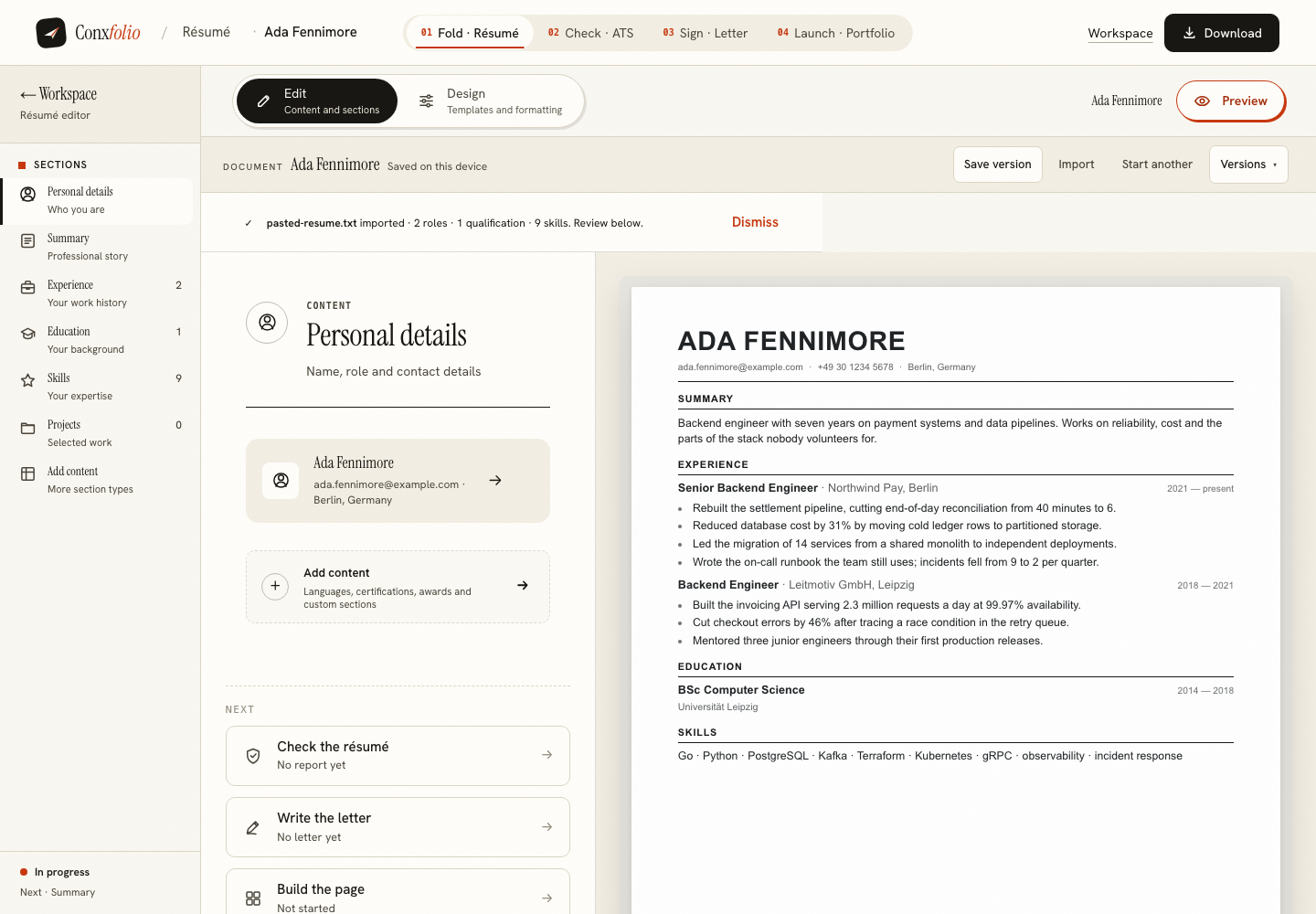
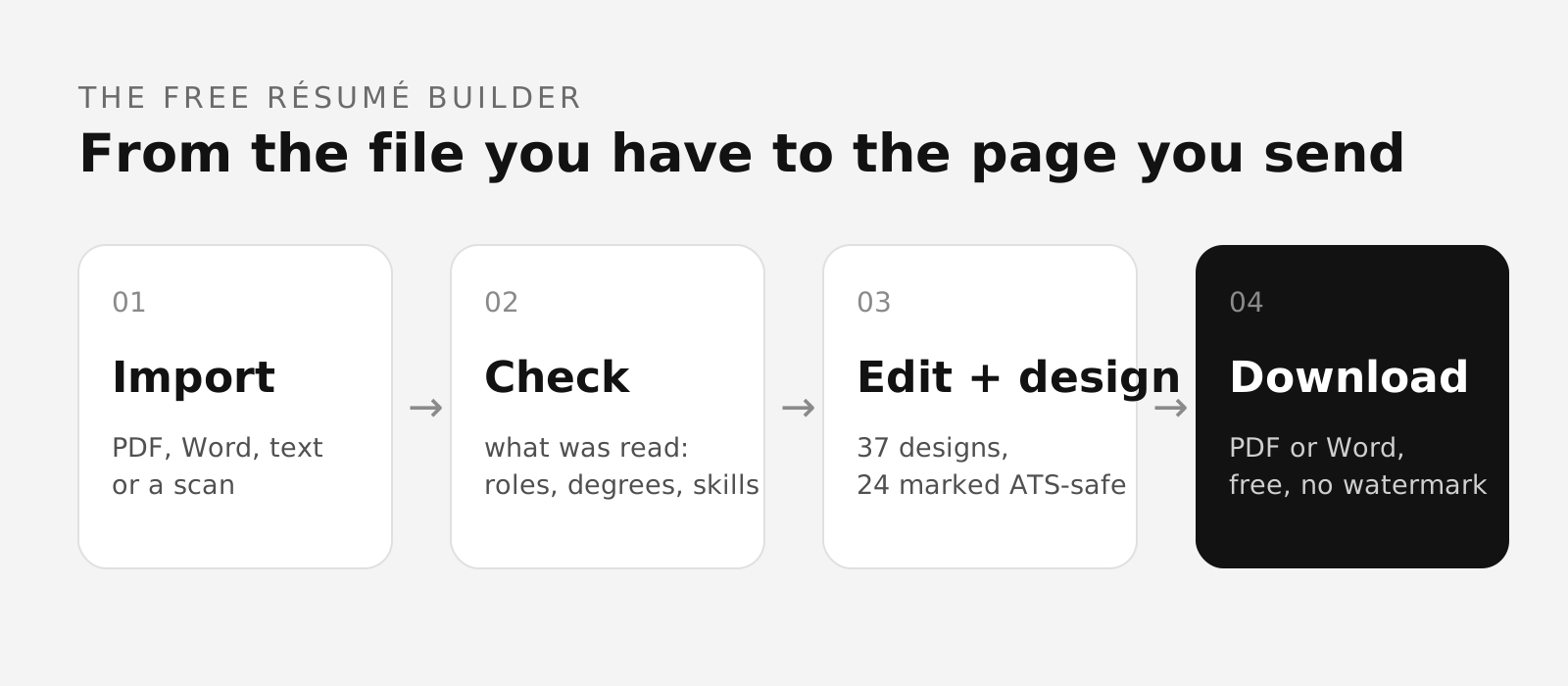
If a version of your résumé exists in any form, import it rather than retyping it. The file is read in this browser first and sorted into fields, and then a review page shows you what was read: the roles it found, the qualification, the skills, the contact details. A field it could not read says "Not found" instead of filling itself with a plausible guess. Where the reading is uncertain the review asks a plain question, and nothing it asks about enters your résumé until you answer.
With nothing to import, start from a blank page and fill the sections in the order below. Either way you land in the same editor, with a rail on the left that counts what each section holds.
The contact line
Name, email address, phone number, city. Put them in the body of the first page as ordinary text. Contact details placed inside a page header are often dropped when a file is parsed, and a résumé nobody can reply to is an expensive mistake to make twice. Links belong here too, if you have one worth following.
Write the experience section before anything else
Each role needs a title, the employer, the place and the dates. Under it go the lines that say what you did and what changed. Start each line with a plain verb in the past tense and finish it with the outcome. "Rebuilt the settlement pipeline, cutting end-of-day reconciliation from forty minutes to six" carries a job, a decision and a result in one sentence. "Responsible for pipeline work" carries none of the three.
Three to five lines for a recent role, one or two for an old one. More detail on the last two years, less as you go back. The experience bullet guide takes one line apart word by word if you want the long version.
Put a number where a number exists
Scale, money, time saved, error rate, headcount, volume. A number tells a reader how big the work was, and it survives every retelling. Where you have no honest figure, say what changed instead and leave the number out. Inventing one is the fastest way to lose a conversation you were winning.
Summary last, in four lines or fewer
The paragraph at the top is a compression of the section you have just written, which is why writing it first goes badly. Name the work you do, the years you have done it, and the one thing you are known for. Guidance and worked examples are in the summary guide.
Education, skills and the rest
Education gets the qualification, the institution and the years. Skills are a list of things you could be asked about in an interview without wincing. The editor also carries projects, certifications, languages and an additional block for awards, publications and a custom section of your own, so material that does not fit the standard five has a home rather than being crammed into a bullet point.
Choose the design at the end
There are 37 complete designs in the gallery, 24 of them marked ATS-safe, which means a single column whose text still comes back when it is pulled out of the exported PDF. Switching between designs rewrites nothing: the words are yours and the design is the paper they sit on. Keep one master document and send the single-column version where a posting goes through a portal.
Check it, then export
Run the finished file through the ATS résumé checker before you send it. Its score reads the document on its own, with no job description, and the report prints what it could and could not read along with the arithmetic behind the score. Then export. PDF and DOCX are both free, there is no watermark, and the DOCX is written by this browser rather than by a server.
What the builder will not do
It will not invent work history, a date or an employer. It will not write a sentence you did not write. No language model is used anywhere in this product, so the reading, the score and the letter engine are ordinary code whose rules you can read on these pages. What it does instead is save you the retyping, keep the versions, and render the page.
Build the résumé
Import the file you already have, or start from a blank page. Your work stays in this browser, and the export is free in PDF and DOCX.
Open the résumé builderLook through the 37 designs firstQuestions
- Where do I start if I have an old résumé
- Import it. The file is read in this browser first and sorted into fields, and the review page lists what was read before anything is applied. Retyping an old document is the slowest way to get the same material in.
- What order should the sections go in
- Contact line, summary, experience newest first, education, skills, then anything else. A reader looking for your last job should not have to hunt for it.
- How many bullet points per role
- Three to five for a recent role and one or two for an old one is a workable shape. The checker on this site awards its evidence-depth points at five achievement lines across the whole experience section, not per role.
- Should I write the summary first
- Write it last. A summary is a compression of the experience section, and compressing something you have not written yet produces the vague paragraph everyone recognises.
- Does the builder write the résumé for me
- No. It reads what you give it, sorts it into fields and renders it. It invents no work history, and no language model is used anywhere in this product.
- What does it cost
- Nothing. Every design, both export formats and the checks are free, and there is no account to create.
Conxfolio is a free set of four career tools: a résumé builder with 37 rendered layouts, an ATS résumé checker that prints its own arithmetic, a cover letter builder that traces every proof paragraph back to the line it came from, and a portfolio builder with 22 authored designs. There is no account to create, nothing is held back for a paid plan, and no language model is used anywhere in the product, so the readers, the score and the letter are deterministic code you can check.