How to format a résumé an applicant tracking system can read
An applicant tracking system reads a text layer, not a layout. Here is what survives the extraction, what scrambles it, and how to check your own file in about a minute.
— the parser gets the text layer and nothing else.
Scoring updated on 25 September 2026. The checker now grades achievement lines in proportion instead of giving full marks after three, weighs how many lines state a result rather than a duty, asks for a date on every career entry, and gives a career written only as projects 18 of the 30 experience points. Rule values and scores quoted below were measured under the earlier rules on the dates shown; the current rules are in how the ATS score is calculated.
An applicant tracking system does not look at your résumé. It pulls the text layer out of the file and reads the string that comes back. Everything a designer cares about happens before that moment: the two columns, the icons, the sidebar, the hairline between your name and your phone number. By the time the software holds a copy, all of that has become either a run of words in a sensible order or a run of words in a scrambled one.
So the whole question of an ATS-friendly format reduces to one test. Pull the text back out of the file and read it. If it reads like a résumé, the parser has what it needs. If the sidebar has been interleaved into the first column, or your job titles arrive underneath somebody else's bullet points, no amount of keyword work repairs it.
The five things that scramble the reading order
- Text in a table. A table gives the extractor a grid to walk and no rule about which way to walk it. Two-column layouts built from tables are where interleaving comes from.
- Text boxes and sidebars. A floating box is its own little document. It can land anywhere in the extracted string, including the middle of a sentence.
- Headers and footers. Contact details placed in the page header are often skipped entirely. Your email address belongs in the body of the first page.
- Decorative bullets and icons. A glyph from an icon font extracts as a private-use character or as nothing. Plain bullets cost you no beauty worth having.
- A damaged text layer. Some exporters embed fonts without a usable character map. The page looks right and the extracted text is mojibake. This one is invisible until you check.
What survives, on every parser
A single text flow, top to bottom. Standard section headings with real content beneath them, so a reader can tell where experience ends and education begins. Four-digit years in one consistent format. Achievement lines that start with a verb and carry a number where a number exists. Your name, email address and phone number as ordinary text near the top.
That list is dull on purpose. An ATS-safe résumé is not a genre, it is the absence of five specific tricks. Everything else about your page, the type, the spacing, the restraint, is free.
Check it instead of guessing
The ATS résumé checker on this site runs the extraction for you and reports what came back. It needs no job description and no account: it reads the résumé on its own, the way a parser does, and tells you what it found and what it could not find. Use the file you actually send, not a copy you made for the occasion, because the export is what the scrambling happens to.
What comes back
A score, and then the arithmetic that made it. Three dimensions carry fixed weights: parseability at 30 per cent, completeness at 30 per cent, content at 40 per cent, with evidence ceilings that hold a very thin document below its weighted total. The report prints the sum, so you can check the number rather than believe it.
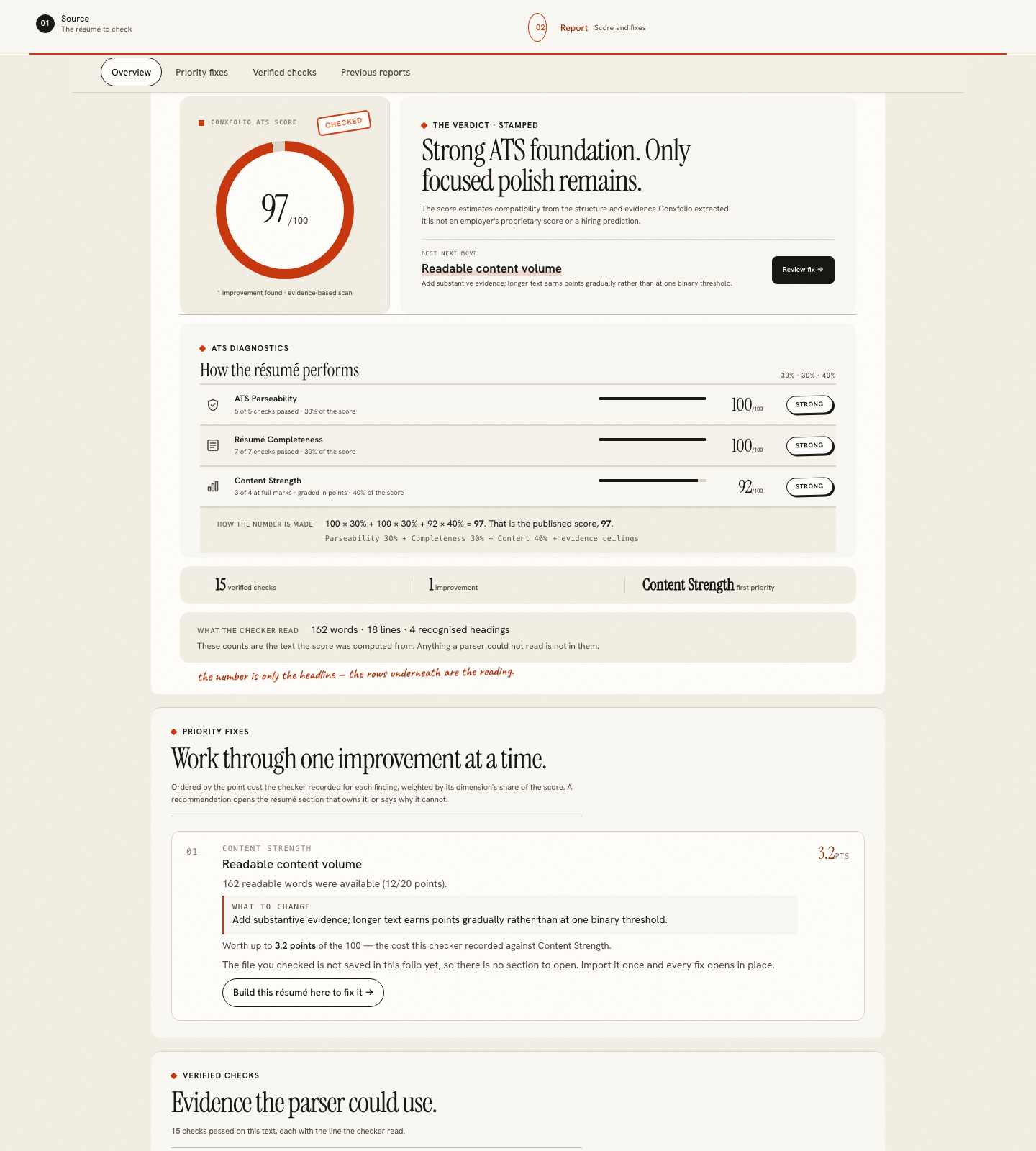
Under the score, the findings are ordered by the points they actually cost, and each one names the change. A fix worth 3.2 points and a fix worth 0.4 points look identical on most checkers. Here the cost is printed beside the fix, so you can stop when the remaining work stops being worth it.
The line marked "what the checker read" is the one to look at first. It counts the words, the lines and the recognised headings in the extracted text. If that count is far below the length of your page, the extraction is losing your résumé before any scoring happens, and the formatting fix is the whole job.
Pick a design that is single-column by construction
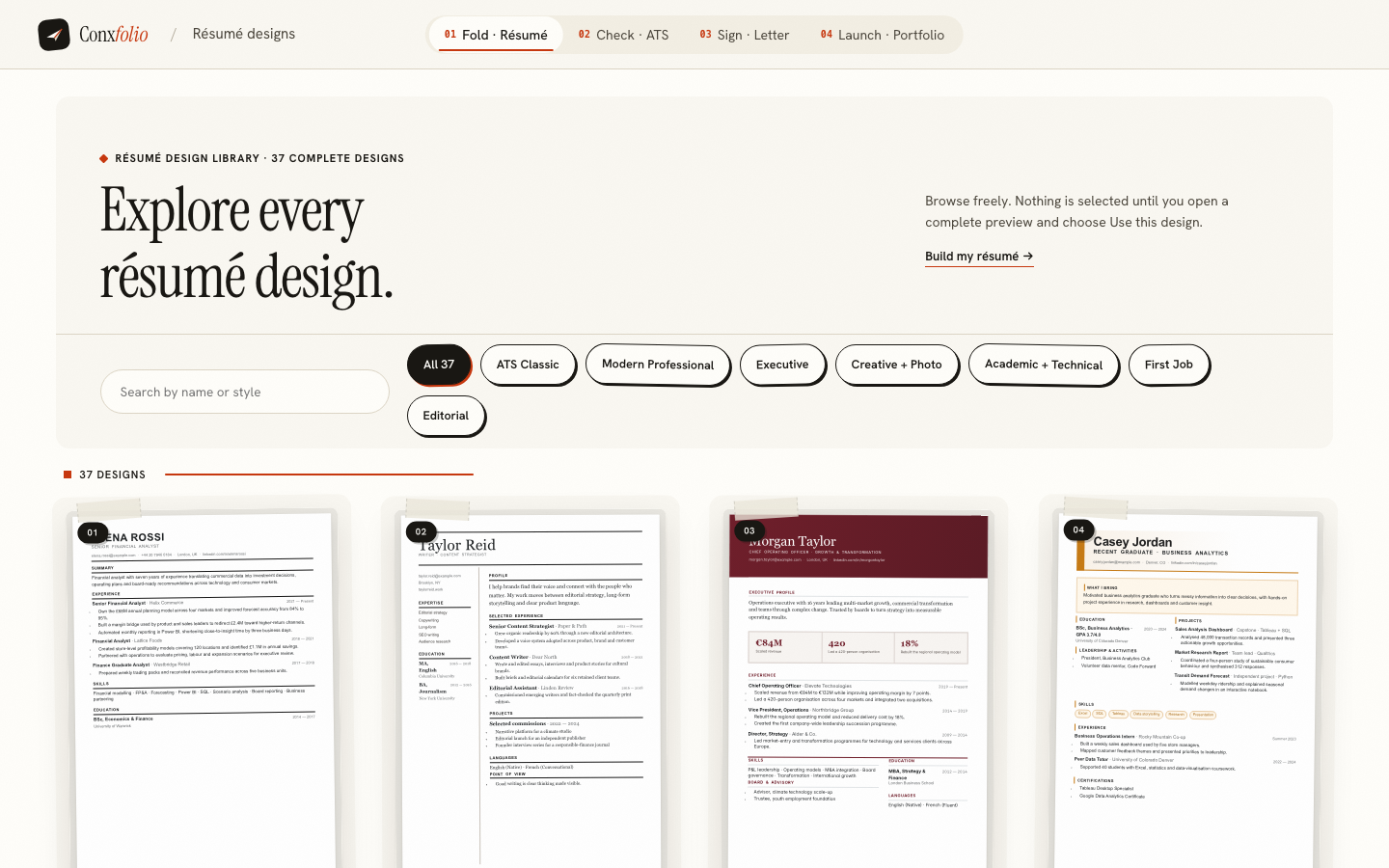
Of the 37 layouts in the design gallery, 24 are marked ATS-safe. That mark means two specific things: the layout is a single column, and the text still comes back when it is pulled out of the exported PDF. It is a property of the layout, checked on the export, and it is not a promise about a particular employer's software, because nobody outside that company can make one.
The other layouts trade some of that for a stronger visual structure, which is a reasonable trade when a person reads the page first. Switching between them rewrites nothing. The design is the paper, the words stay yours, and you can keep one master résumé and send a single-column version where the posting goes through a portal.
What this check is not
It is not an employer's applicant tracking system. We have no access to those and neither does any other public checker. The score is not a keyword match against a posting either. Comparing with a posting is a separate, optional job match on the same report, and the cover letter builder uses a posting to select evidence and to name the requirements your evidence cannot support. And it does not predict an outcome. It reports the readability of a document, which is the part you control.
That is the honest boundary of the whole category. Inside it, there is real work to do, and it takes about a minute to see whether you have any.
Check the file you already have
Upload a PDF, DOCX or text résumé, or paste the text. You get the score, its arithmetic, and the fixes ordered by what they cost you.
Open the ATS checkerSee the 24 ATS-safe designsQuestions
- Does an ATS really reject a two-column résumé
- Not by itself. Some parsers read two columns correctly and some interleave them. The risk is not the column count, it is that you cannot see which kind of parser is on the other side. A single-column version removes the question.
- PDF or DOCX
- A text-based PDF is the safer default: it keeps the layout you approved and it carries a text layer. Send DOCX when the posting asks for it, or when your PDF's text layer is damaged and the extraction comes back with broken characters.
- Do I need the job description to check the format
- No. Format and structure are properties of your document alone. The check on this site reads the résumé on its own and asks for nothing else.
- Will the checker tell me whether I get an interview
- No, and nothing honestly can. It reports what a parser can and cannot read in your file. A person still reads the page afterwards.
- Is the check free
- Yes. There is no account, no upload limit and no paid tier holding part of the report back. Export to PDF and DOCX is free too.
- What happens to the text I check
- Your work is kept in this browser. When you run the check, the text of the résumé is sent to our server to be scored and the result comes back. A file you import is read in the browser first; only if this browser cannot read it is the file itself sent.
Conxfolio is a free set of four career tools: a résumé builder with 37 rendered layouts, an ATS résumé checker that prints its own arithmetic, a cover letter builder that traces every proof paragraph back to the line it came from, and a portfolio builder with 22 authored designs. There is no account to create, nothing is held back for a paid plan, and no language model is used anywhere in the product, so the readers, the score and the letter are deterministic code you can check.