How to get a portfolio address without buying a domain
Claim a name under this site's own domain instead of registering one. Here are the rules the address follows, checked against the product's own endpoint, and what the address does not give you.
— a name, not a registration.
Buying a domain is not expensive and it is not the obstacle people think it is. What stops most portfolios is the half hour after buying one: the registrar's dashboard, the name servers, the certificate, the host, and the deploy. The address is the smallest part of that list and it is the part everybody starts with.
The portfolio builder turns that around. The page comes first, and the address is a name you claim at the end of it.
What you are claiming
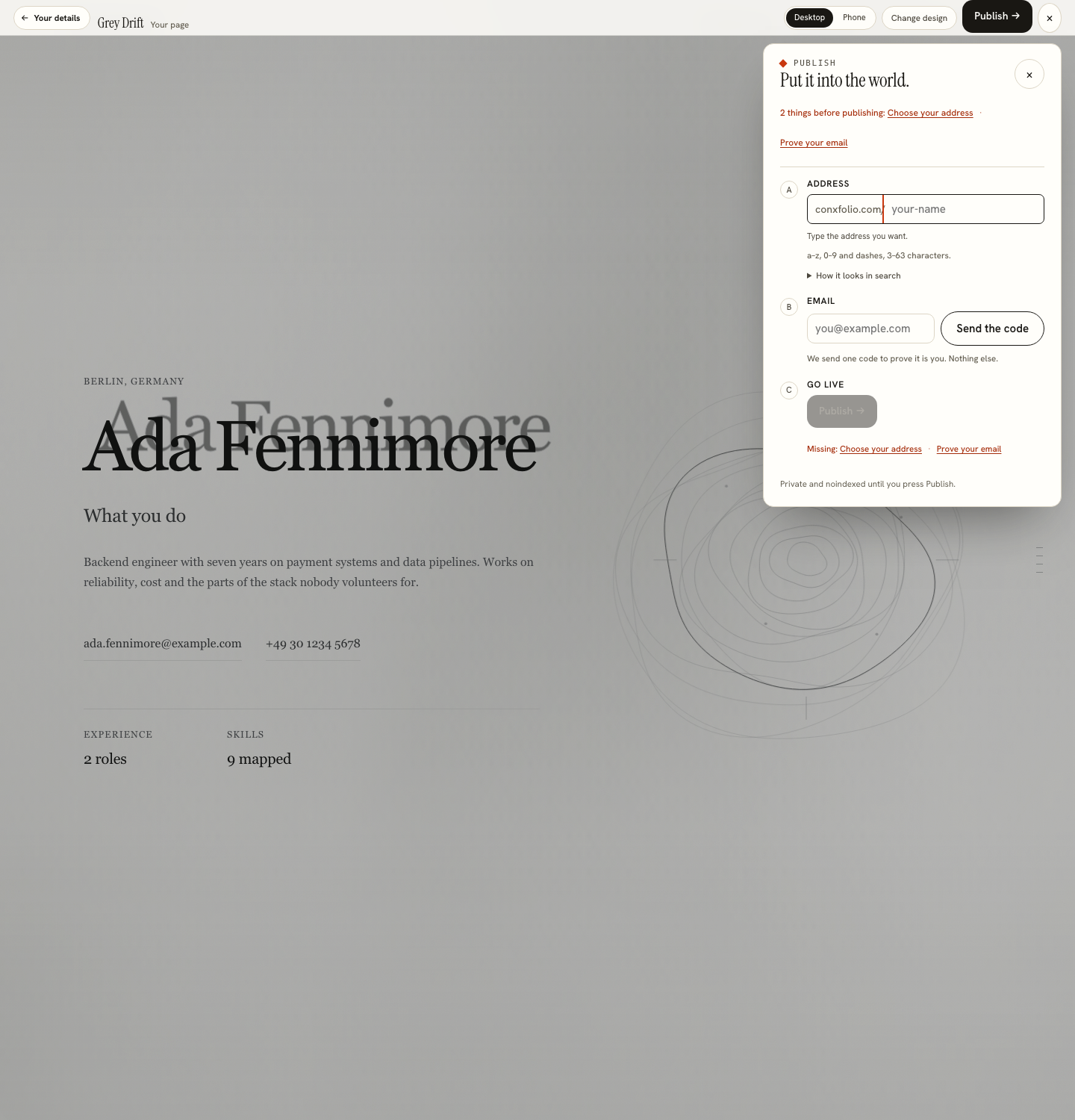
A name under this site's own domain, of the form the publish sheet shows while you type. You are not registering a domain and you do not own the name in the way a registration means. You are claiming an address that holds a page until you take it down.
That is a smaller thing than a domain and it is honest about being smaller. What it gives you is a short address you can put on a résumé, in an email signature or on a business card, without a bill and without an afternoon of configuration. The guide on choosing an address covers what makes a good one.
The rules the name follows
The address accepts lowercase letters, digits and dashes, between 3 and 63 characters, beginning and ending with a letter or a digit. That is the pattern the publish sheet states, and it is checked before anything is sent.
The check is a small endpoint and it can be called directly, which is the honest way to show what it does. Asking it about a free name returns a plain available. Asking about a two-character name returns an invalid format, because of the length rule. Asking about admin or resume returns reserved, because the product's own routes are protected from being claimed as handles. Those four answers were read off the running service.
The one email
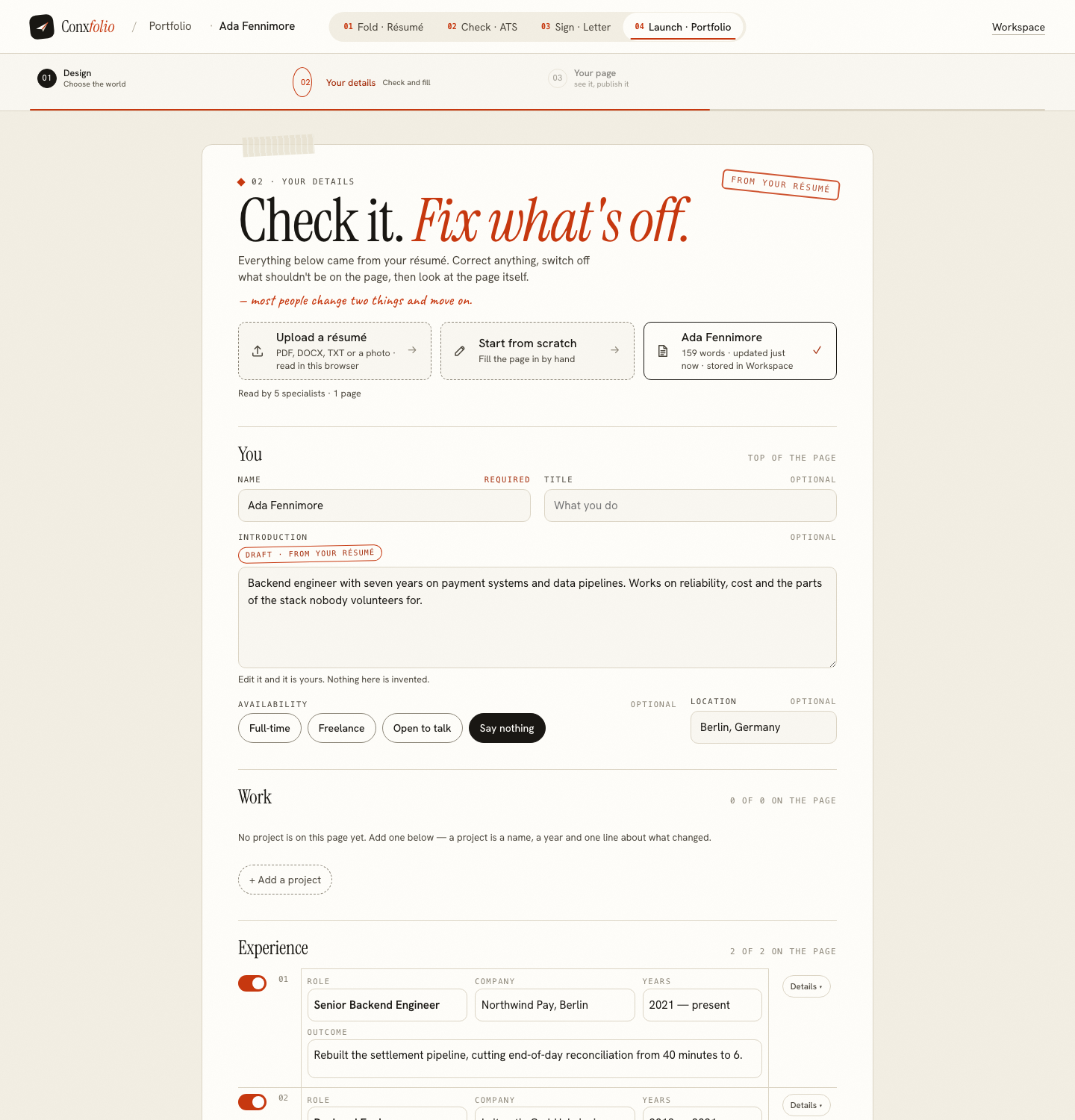
The sheet says what it needs in one line: no account and no email, you get an edit key. The only required thing is the address. When the page goes live the sheet shows the edit key and a recovery code once, and will not close until you tick that you saved them; the key opens the page for editing on any device at conxfolio.com/edit. A recovery email is offered as an option, only so a new key can be sent if you lose both, and if you leave it empty no email is stored.
Nothing in the product requires an email, this step included. The résumé builder, the checker, the letter builder and every gallery work without one, which is the subject of why there is no account.
Private until you say so
The sheet says the page is private and noindexed until Publish is pressed. Nothing is exposed while you are deciding on a design or fixing a project line, and the render under Preview & publish is your real page rather than a staging copy. Taking it down afterwards is a control on the same publish sheet, described on unpublishing a portfolio.
What an address like this will not do
It will not let you send email from it. It will not give you a second page, a blog or a path you choose. It will not move to a domain you buy later, because it is a name in somebody else's namespace, which is the trade you accept in exchange for not owning any of the plumbing.
If you already own a domain and want it to be the address, this is not the tool for that job. Rent a host and deploy the page you want. The comparison worth making is honest in both directions: this gets one good page online tonight, and it does not pretend to be an owned web presence.
Using the address once you have it
Put it in the header of your résumé rather than in a paragraph, where a reader and an extractor will both find it. Linking a portfolio from a résumé covers the placement and the common mistake of burying it. If the link is going into a printed page, keep it short enough to be typed by hand, which is the practical argument for a name rather than a long path.
And check it on a phone before you send it anywhere. Preview & publish offers Desktop and Phone views of the real page, and the phone frame renders at 390 pixels, which is what most people who receive the link will actually use.
Choosing the name itself
Your own name is the right answer for most people, because the address is going on a résumé beside it and a reader should be able to connect the two without thinking. A first name and surname joined by a dash is short, typeable and unambiguous.
Avoid a name tied to the role you want today, because the page will outlive that search. Avoid numbers, which are hard to dictate over a phone. And check what the address looks like written down on paper rather than only on screen, which is easier once you have printed the résumé that carries it, as printing a résumé correctly describes.
Claim a name, skip the registrar
Build the page from your résumé and claim an address under this site's domain. Free, no account, one edit key.
Open the portfolio builderBrowse the designsQuestions
- What does the address look like
- A name under this site's own domain, in the form the publish sheet shows while you type it. It is not a domain you own, and it is not a subdomain you can point elsewhere.
- What characters are allowed
- Lowercase letters, digits and dashes, between 3 and 63 characters, starting and ending with a letter or a digit. A two-character name is refused as an invalid format.
- Which names are taken
- Anything somebody else has claimed, plus a reserved list that protects the product's own routes. Checking directly, admin and resume both come back as reserved.
- Is an email needed for this
- No. A public address has to belong to somebody, and here it belongs to whoever holds its edit key. The key is shown once when you publish; a recovery code and an optional recovery email let you make a new one.
- Can I move to my own domain later
- Nothing here points a domain you own at the page. If you buy a domain later, the honest move is to link to the page from it, or rebuild elsewhere and keep this as the quick version.
- Does the address cost anything
- No. Publishing and the address are free, as is everything else here.
Conxfolio is a free set of four career tools: a résumé builder with 37 rendered layouts, an ATS résumé checker that prints its own arithmetic, a cover letter builder that traces every proof paragraph back to the line it came from, and a portfolio builder with 22 authored designs. There is no account to create, nothing is held back for a paid plan, and no language model is used anywhere in the product, so the readers, the score and the letter are deterministic code you can check.