How to take a published portfolio page down again
Unpublish sits beside Update on the step that published the page. This is what it removes, what it keeps, and the part no site can undo for you.
— reversible, within reason.
Publishing something about yourself is much easier to do when taking it down is a known quantity. Most of the hesitation around a public portfolio is not about the work on it. It is the suspicion that removing it later will involve a support request.
In the portfolio builder it does not. This page says where the control is, what it does and what it cannot reach.
Where it lives
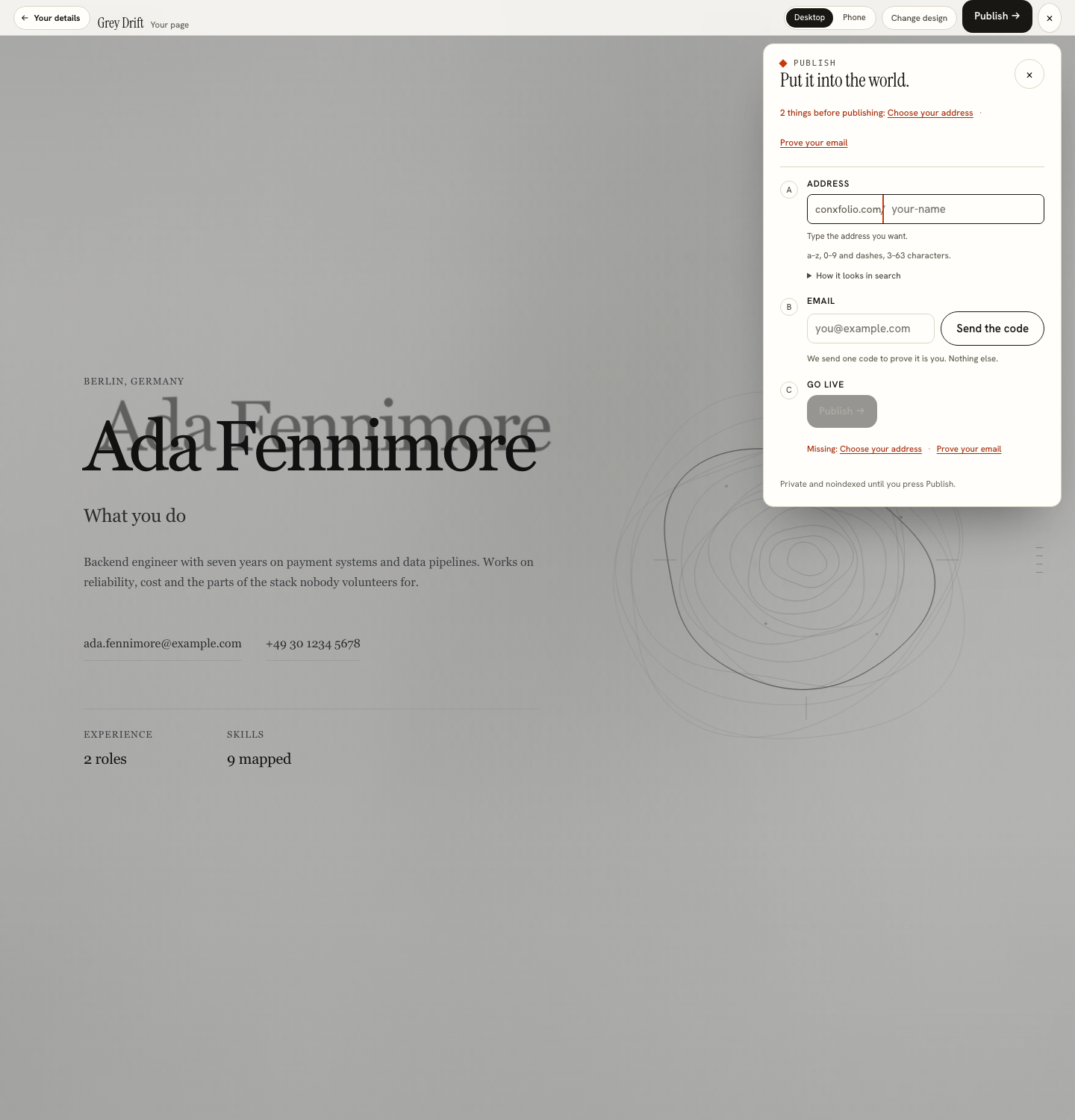
In the publish sheet, which is the same place that published it. Once a page is live, the sheet carries three things: the address it holds, an Update control for pushing changes, and an Unpublish control for taking it offline. Keeping all three where the publishing happened is deliberate, because a destructive action hidden in a preferences screen is a destructive action people cannot find in a hurry.
What it asks before it acts
A confirmation. Unpublishing changes something other people can see, so it is not a single unguarded click, in the same way that publishing is not.
It also requires the page to be open with its edit key. The browser you published from has it open; on another device, open conxfolio.com/edit and enter the key. Somebody who only visits your page cannot take it down.
What comes down, and what stays
The public page stops being served. That is the change. Your entries, your design choice and your résumé are yours and live in this browser, so the builder is exactly as you left it and the page can go back up from the same step.
The address stays claimed while your claim stands, which is what makes the round trip safe: taking a page down for a fortnight does not hand the name to somebody else in the meantime.
The part nobody can undo
Publishing anything on the open web means other machines may have read it. A search engine that has fetched the page holds an index entry until it next tries to fetch it and finds nothing. Archives, caches and anyone who saved the page are outside the reach of this product and every other one.
That is not a limitation of this builder. It is what the web is. The practical consequence is worth acting on before publishing rather than after: put the work you are happy to have read on the page, and keep anything genuinely sensitive off it. The publish sheet helps by stating that the page is private and noindexed until you press Publish, so nothing goes out while you are still deciding.
Update rather than unpublish
Most of the reasons people reach for Unpublish are better served by Update. A project that turned out badly, an employer's name you would rather not show, a line that reads poorly a week later: switch the entry to Hidden in the builder and update the page. The address stays, the link on your résumé keeps working, and the page changes.
Unpublish is the right control for a job search that has ended, a page you have replaced with something you host yourself, or a period when you would rather not be findable. Linking a portfolio from a résumé is worth rereading in that last case, because a dead link in a PDF that is already circulating is worse than a live page.
Before you take it down
Export what you want to keep. The portfolio's content comes from the material in your résumé, so the résumé export is the durable copy, in PDF and DOCX. Save a version as well, which keeps a snapshot on the device, as described on restoring an earlier draft. Clearing your browser data after unpublishing removes the local work too, and there is no server-side copy to restore from, which is the other side of the privacy the product is built on.
Then open the address in a different browser and confirm the page is gone. Two vantage points is a better test than one, particularly when your own browser may be showing you a cached copy of a page you just removed.
Before the page goes up at all
Most of the anxiety that leads to unpublishing is avoidable at the other end. Look at the page at phone width as well as desktop under Preview & publish, since a link sent in a message is usually opened on a phone. Read every entry once out loud, which catches the line that sounded fine while typing. And check that nothing on the page belongs to somebody else, particularly a client's name or a screenshot of a system you cannot show.
The same pass is worth doing on the résumé that points at it, because a published page and a stale link are the two halves of the same mistake. Checking a résumé you did not write is a useful habit to apply to your own, since reading your own document as a stranger would is the only reliable proofread.
Publish, update, take it down
The step that publishes a page also carries Update and Unpublish. Free, and reversible while the address is yours.
Open the portfolio builderSee what a page looks likeQuestions
- Where is the Unpublish control
- In the publish sheet, the same place that published the page, under its address and Update the live page. It is not hidden in a settings screen somewhere else.
- Do I need to be signed in
- You need the page open with its edit key. The browser you published from has it open already; on any other device, go to conxfolio.com/edit and enter the key.
- Does unpublishing delete my work
- No. The page's content is your material in this browser. Unpublishing takes the public page down; it does not empty the builder.
- Can I publish again afterwards
- Yes, from the same step.
- Does it remove the page from search results immediately
- No site can promise that. The page stops being served, and a search engine removes it when it next tries to fetch it. Copies made by other people are outside anyone's control.
- What happens to the address
- It stays yours while you hold the edit key, so an unpublished page can go back up at the same address.
Conxfolio is a free set of four career tools: a résumé builder with 37 rendered layouts, an ATS résumé checker that prints its own arithmetic, a cover letter builder that traces every proof paragraph back to the line it came from, and a portfolio builder with 22 authored designs. There is no account to create, nothing is held back for a paid plan, and no language model is used anywhere in the product, so the readers, the score and the letter are deterministic code you can check.