How to move a résumé from one device to another
There is no sync here, because there is no account holding a copy. The move is a file: export on one machine, import on the other, and read what the reading recovered.
— the file is the sync.
A résumé that lives in one browser is private, and it is also stuck. Most people notice this at the worst moment: the draft is on the laptop at home and the posting closes tonight, on a phone, on a train.
There is no sync to switch on, because there is no account to hold a copy. The move is a file, and doing it deliberately takes about two minutes.
Why there is nothing to sync
Work is stored in your browser, under one key, and it is read back after writing to confirm it saved. Nothing is uploaded to a profile, because there is no profile. That is the whole reason the product asks for no email address, and the honest cost of it is this page.
It is worth naming the trade rather than hiding it. A tool with accounts syncs your résumé and holds your work history on its servers. A tool without accounts does neither. Why there is no account makes the argument in full.
Export the DOCX, not only the PDF

Both formats can be read back in, and the DOCX is the better vehicle. It describes paragraphs, headings and lists as text with styles, so the reading on the other side reconstructs the structure. A PDF is a rendering, and a designed page draws bullet marks as layout rather than as characters, so some of the shape can be lost on the way back.
The DOCX export is also assembled in the browser and makes no network request, which is described on exporting a DOCX without Office. Take both if you are unsure. The pair costs nothing and neither is watermarked.
Getting the file across
Use whatever you already use. Email it to yourself, drop it in a cloud folder, hand it over with a cable. This product has no opinion about the transfer and no service of its own in the middle of it, which also means nothing of yours passes through here on the way.
Importing at the other end
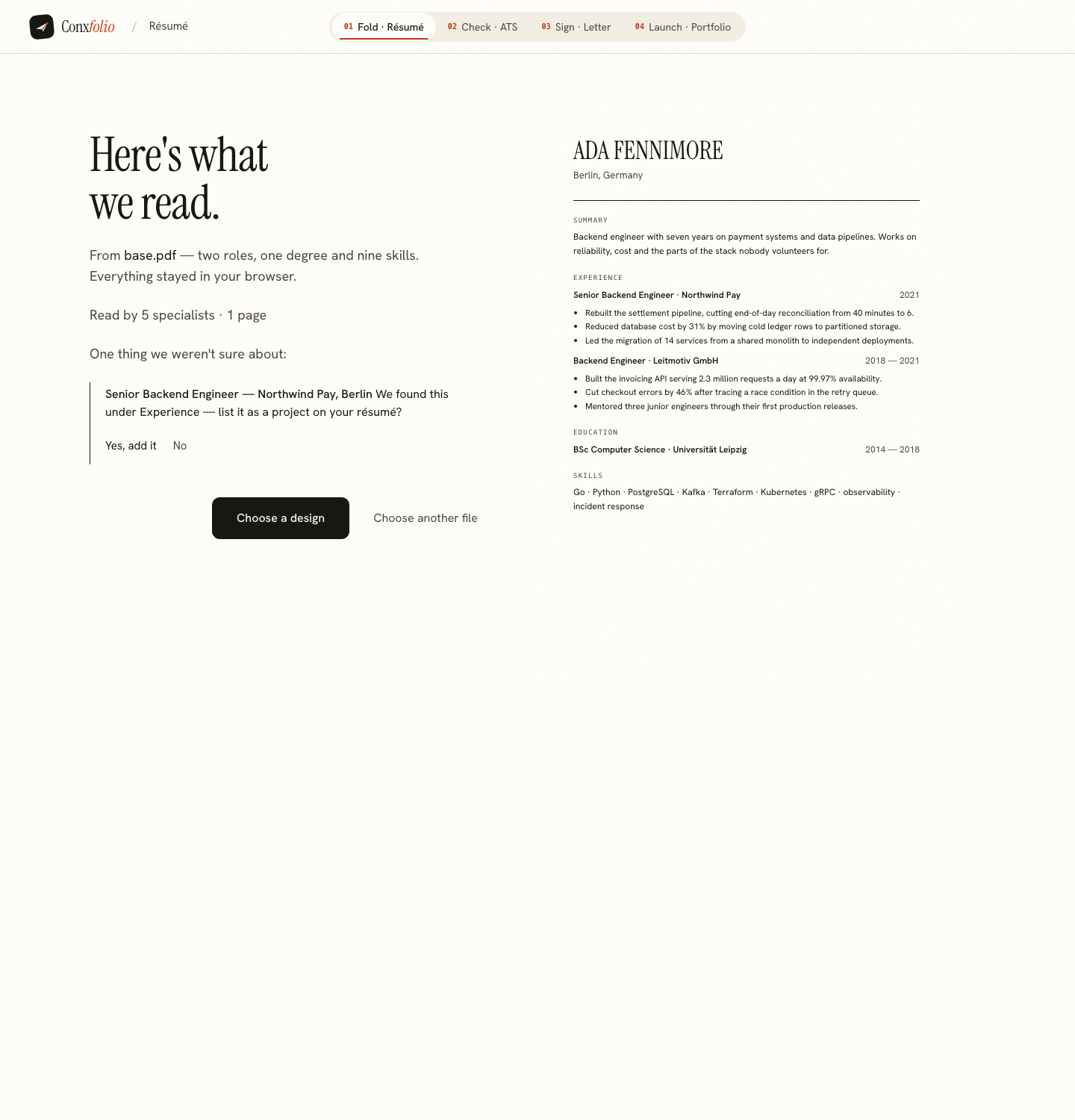
Open the résumé builder on the second device and import the file. It is read in that browser first, and the review lists every field beside the text it came from, with a line at the top saying how the document was read.
Read that review rather than skipping it. This is the moment to catch a date that arrived wrongly or an employer name that got merged with a job title. Fields that could not be found are reported as not found rather than filled with a guess, and a field that fails the check that it is a real span of the document is dropped and counted, as described in dropped fields and why they are counted.
Picking the design again
The move carries content, so the design is chosen again on the second device. That is one click in the gallery, and it rewrites nothing, because the design is a rendering of the content rather than a container for it. Make a note of the design name before you export if you want the same one.
Check the file after the move
Run the result through the ATS checker on the new device and compare the counts with what you remember. A word count that drops sharply after a round trip means the export or the reading lost something, and the report names what it found rather than leaving you guessing. What the checker read covers how to use those numbers.
A habit that makes this a non-event
Export whenever you stop working, and keep the file somewhere you can reach from any device. It costs one click, it doubles as a backup against a cleared cache, and it means the awkward evening version of this page never happens to you.
If you are building two different documents rather than moving one, keeping two résumés at once covers how copies work here, and restoring an earlier draft covers the version snapshots kept on each device.
Moving to a phone specifically
The most common version of this is a laptop draft that needs to be on a phone by tonight. Email the DOCX to yourself, open it from the mail app on the phone, and import it in the browser there. The phone journey is the same one as anywhere else, and the builder renders and exports at phone width, which is set out on making a résumé on an iPhone.
Going the other way is easier still, because a laptop can open anything the phone put in a cloud folder. Either direction, do the import while you have time rather than while a posting is closing, and read the review carefully once instead of trusting it twice.
Export here, import there
Take a DOCX, open the builder on the other device and read it back in. Free, no account, nothing to sign into.
Open the résumé builderCheck it after the moveQuestions
- Is there a sync or a cloud copy
- No. The work is kept in the browser you made it in, under one storage key, and nothing copies it to a server. That is the privacy property and it is also the limit.
- Which format moves best
- DOCX. It carries the document's structure as text with styles, so the reading on the other side reconstructs sections, roles and dates. A PDF also imports, and a designed PDF can lose bullet marks in extraction.
- Will the design come with it
- No. The move carries content. Choose the design again on the second device, which is one click, because a design is a rendering rather than a rewrite.
- Can I move it by signing in somewhere
- There is nothing to sign into. Download the workspace as a file on one device and open it on the other. A published portfolio opens anywhere with its edit key, but that key does not carry a résumé with it.
- What if I clear my browser data
- The draft is gone, with no copy anywhere to restore from. An exported file is the only backup, which is the practical reason to export whenever you stop working.
Conxfolio is a free set of four career tools: a résumé builder with 37 rendered layouts, an ATS résumé checker that prints its own arithmetic, a cover letter builder that traces every proof paragraph back to the line it came from, and a portfolio builder with 22 authored designs. There is no account to create, nothing is held back for a paid plan, and no language model is used anywhere in the product, so the readers, the score and the letter are deterministic code you can check.