How to make a résumé on an Android phone
Chrome on an Android phone runs the whole builder. Import a file from Drive or Files, correct what was read, choose a design and export a PDF or a DOCX, with no app and no account.
— the browser you already have.
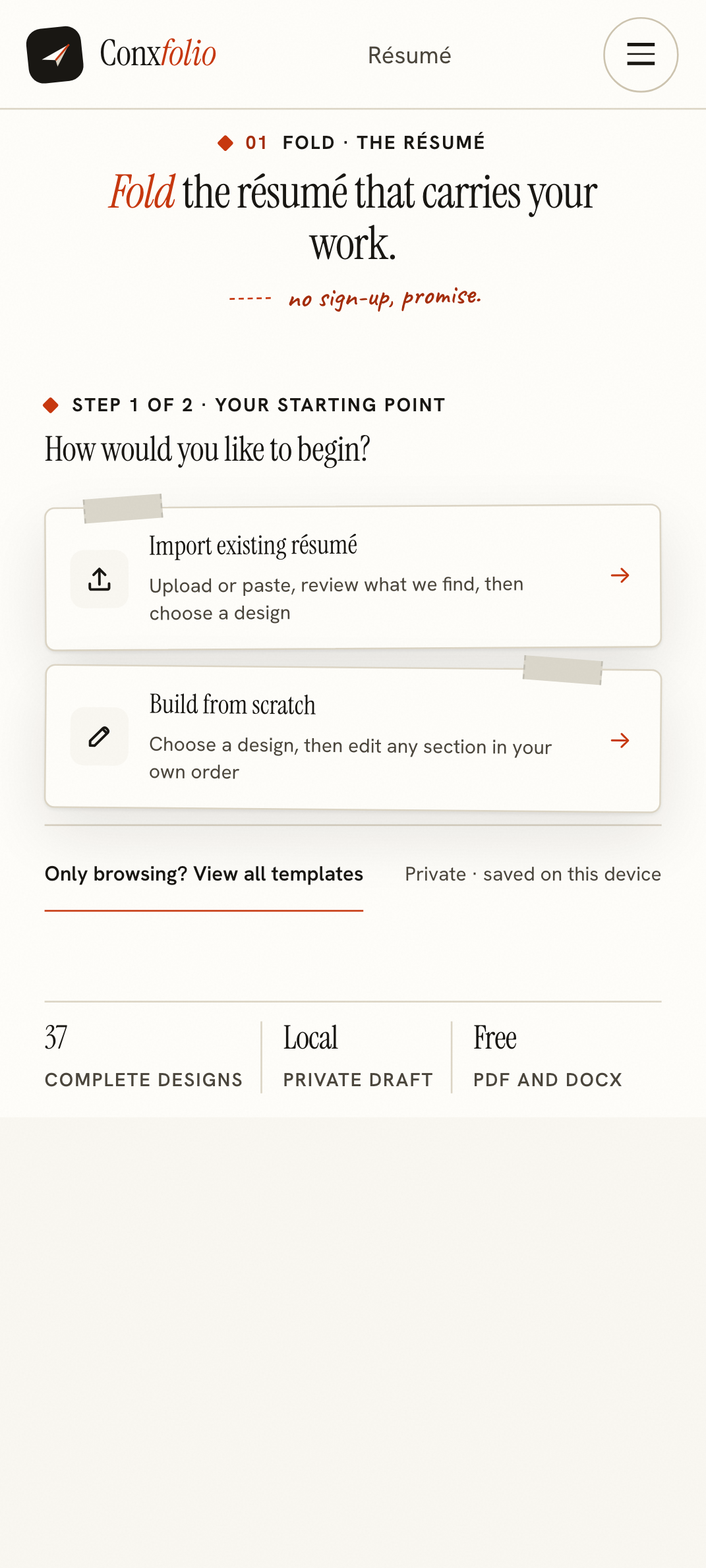
An Android phone has the same two useful properties as any other phone: the browser is already there, and the documents you need are already on it or one tap away in Drive. The résumé builder is a web page, so both of those are enough.
The screens below were rendered at 412 pixels wide, the CSS width a Pixel-class Android browser reports. Horizontal overflow measured zero at that width.
Nothing to install
There is no application, no permission prompt and no background service. Open the address in Chrome and the first screen offers to import an existing résumé or to start from a design. There is no sign-in wall in front of it, which is the subject of the article on why there is no account.
Getting your material in
Two routes, and both are ordinary Android behaviour. The upload route opens the system file picker, which reaches Drive, Files and the photo gallery in the same sheet. Accepted formats are PDF, DOCX, plain text, Markdown, RTF and images. A photograph of a printed page is recognised in the browser, without the image being uploaded.
The paste route suits anyone whose résumé lives in Google Docs. Select, copy, then use Paste text in the import dialog. Text that is pasted skips extraction altogether, so nothing can be lost in a layer of layout, which is the failure described in pulling text back out of a PDF.
The review is the part to read
After the reading, every field is listed beside the source text it came from. A field that could not be found is reported as not found. That is deliberate: a builder that invents a job title to fill a gap is a builder you have to proofread against a document you no longer trust.
Correct the names, employers and dates here. Leave the achievement wording for a moment when you have a keyboard, unless you already know the line you want. Quantifying achievements is the change that moves the score most, and it is easier to think about when the whole page is in view.
Designs at one card per row
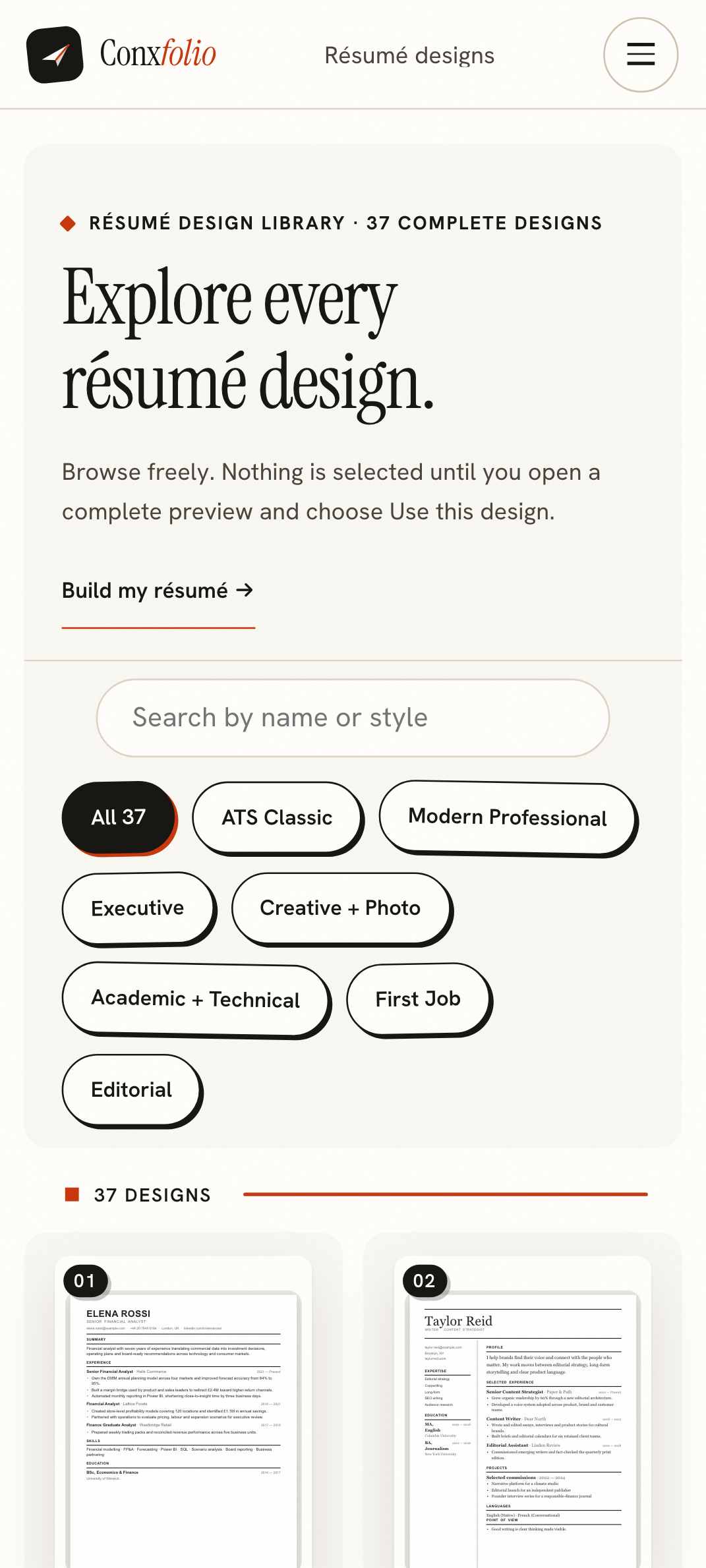
The gallery holds 37 complete layouts, 24 of them marked ATS-safe. At phone width they stack one per row, which is slower to browse and much easier to judge, because each card is a whole page rather than a thumbnail. Choosing one rewrites nothing: the same content renders into the new layout, as described in a design is not a rewrite.
Exporting on a phone
The Download menu offers PDF and DOCX. On Android both land in the Downloads folder and can be attached from Gmail or any other client. The DOCX is written in the page itself, so that export makes no network request at all. The PDF is rendered server-side from the same design, at A4, so the file does not carry the phone's screen dimensions into the document.
Neither export is watermarked and neither is reserved for a paid tier. That claim is checked on its own page, a free résumé PDF with no watermark, with the file inspected rather than described.
What the phone will not fix
A small screen makes long editing tiring, and it makes proofreading worse, because you see four lines at a time. Use the phone for the import, the correction and the export. Use a larger screen for the rewrite, and remember that the two browsers do not share anything, so the file has to travel as a file.
The rest of the application, same phone
The ATS checker takes the same document and prints the arithmetic behind its score in one column. The cover letter builder wants the posting, which is usually already in the phone's clipboard from the job advert. The portfolio builder renders a real page and offers Desktop and Phone views of it before publishing, so what you approve on a phone is the page a phone will show.
One thing to do before you leave the phone
Export the file, even if the résumé is not finished. The work lives in that browser and nothing copies it anywhere, so a cleared cache is a lost draft. A DOCX in Drive costs nothing and is a complete backup, because importing it back reconstructs the fields. That round trip is the closest thing to sync the product has, and it is honest about being manual.
If the phone is the only machine you have, save a version before any large rewrite. The version menu in the editor keeps snapshots on the device and lets you go back to one, which is described on restoring an earlier draft. It costs one tap and it removes the fear that makes people stop editing.
Do it in the browser on the phone
Import from Drive or paste from Docs, correct what was read, and export. Free, no account, 37 designs.
Open the résumé builderSee the designs firstQuestions
- Is there an Android app
- No, and none is needed. The builder is a web page, so Chrome or any other browser on the phone runs it. Nothing is installed and nothing runs in the background.
- Can I import from Google Drive
- Yes, through the phone's own file picker, which offers Drive alongside local files. Export the Drive document as PDF or DOCX first, then pick that file.
- Can I paste from Google Docs
- Yes, and it is usually the quickest route. Select the text in Docs, copy it, and use Paste text in the import dialog. Pasted text skips file extraction entirely.
- Where does the work live
- In that browser on that phone. There is no account, so nothing syncs to another device by itself. Exporting a file and importing it elsewhere is how you move it.
- Does the layout break at Android widths
- It was measured at 412 pixels, the width a Pixel-class Android browser reports, with zero horizontal overflow. The screenshots on this page are that measurement.
Conxfolio is a free set of four career tools: a résumé builder with 37 rendered layouts, an ATS résumé checker that prints its own arithmetic, a cover letter builder that traces every proof paragraph back to the line it came from, and a portfolio builder with 22 authored designs. There is no account to create, nothing is held back for a paid plan, and no language model is used anywhere in the product, so the readers, the score and the letter are deterministic code you can check.