How to make a résumé on a Chromebook
A Chromebook has a browser and very little else, which is all this needs. Import, edit, design and export PDF and DOCX, with nothing installed and no account.
— the browser is the application.
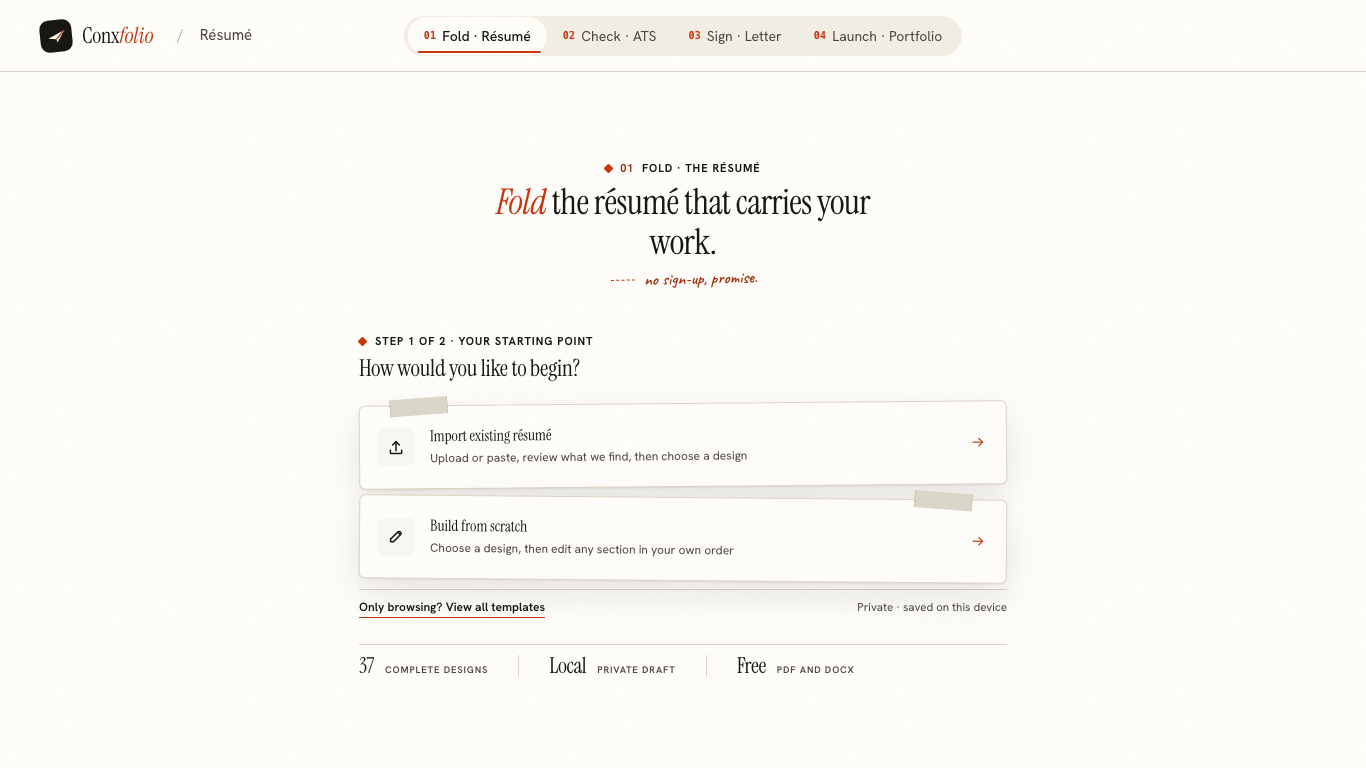
A Chromebook is a browser with a keyboard attached. That is usually described as a limitation, and for a résumé it is not one, because a résumé is text, a layout and two file formats, and all three of those can be done in a page. The résumé builder assumes exactly that much and asks for nothing else.
Everything below was rendered at 1366 by 768, the panel a low-cost Chromebook ships with. Horizontal overflow measured zero.
Nothing to install
There is no extension, no Android app and no Linux container. One address in Chrome. The first screen offers to read a résumé you already have or to start from a design, and it says on that screen that the work is kept on this device.
The problem a Chromebook usually has
The awkwardness is rarely the writing. It is the handover. A recruiter asks for a Word document, an application portal accepts DOCX and refuses PDF, or a colleague wants to add a comment. Without an office suite installed, that request is normally answered by uploading to something.
Here the DOCX is built in the page itself. The export was measured making zero network requests, which is only possible because the file is assembled locally and handed to the browser's own download. A Chromebook with nothing installed can produce a Word document that Word opens.
Editing at 1366 pixels
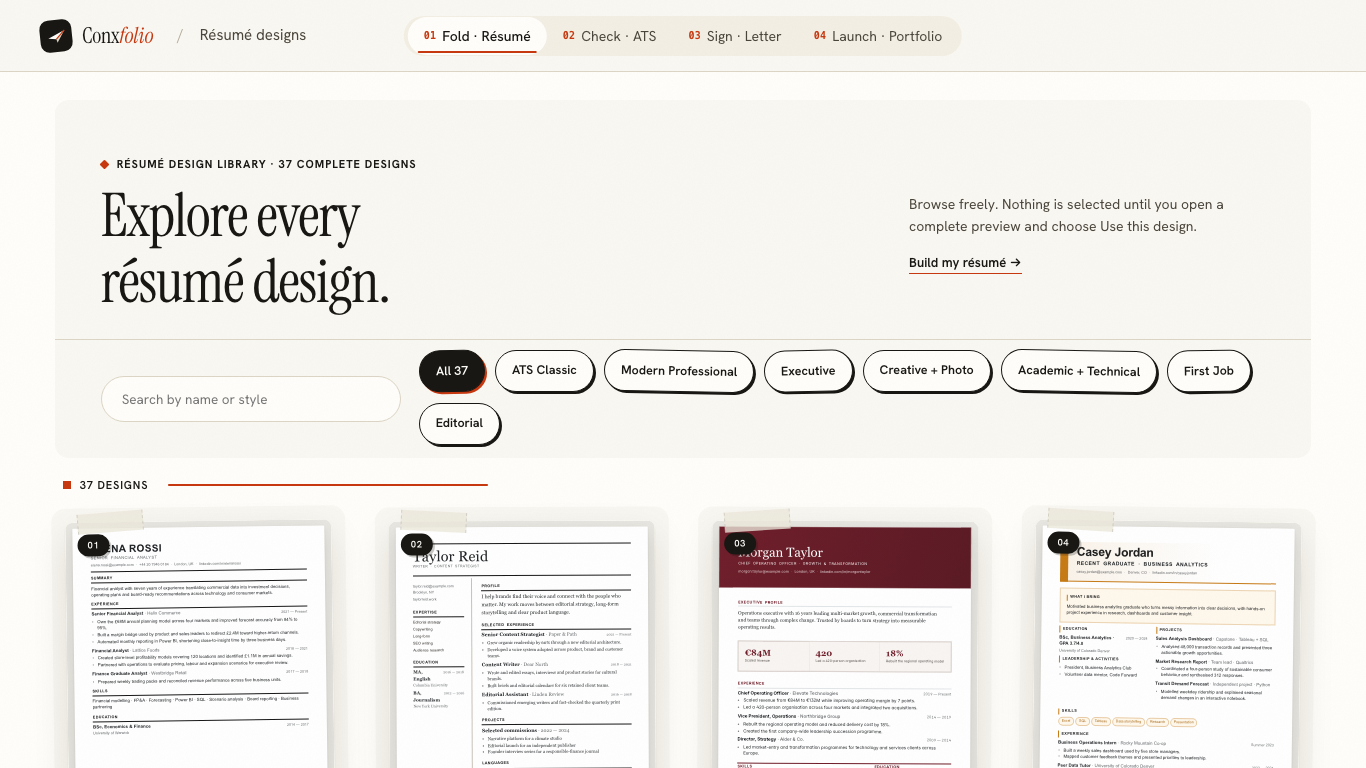
At this width the editor column and the live preview sit beside each other, so a change to a line is visible on the page immediately. The 37 designs in the gallery are shown as complete pages rather than swatches, which matters on a small panel: a thumbnail of a layout tells you nothing about how your own text sits in it.
Importing on a device with no office suite
A Chromebook can still hold a PDF or a DOCX, and both are read here. The file is read in the browser first. Only when the browser cannot read it is the file itself sent on. A password-protected PDF is unlocked in the page after you type the password, covered in opening a password-protected résumé.
Pasting works too, and on a Chromebook it is often the fastest route, because the document is usually open in a Drive tab already.
What still needs the network
Three things, and it is worth knowing which. The ATS check sends the résumé text to be scored. The cover letter draft sends the text and the posting. The PDF export sends the document to be rendered by a real browser engine on our side, which is what makes the PDF a proper A4 page instead of a screenshot. Everything else, including the DOCX, happens in the tab.
Getting the file where it needs to go
Exports land in Downloads. From there the Files app moves them to Drive, or Gmail attaches them directly. If a portal insists on a particular file name, the file name and format guide covers what portals actually accept, and the format guide covers the layout habits that survive extraction.
The rest of it runs here too
The cover letter builder, the checker and the portfolio builder are the same kind of page with the same requirements. Publishing a portfolio asks for no email either: it gives you an edit key, which is explained in a portfolio website without hosting.
A Chromebook is a perfectly good machine for an application. The only thing to remember is that the work lives in this browser profile, so signing into a different Chromebook does not bring it along.
School and college Chromebooks
A managed Chromebook often blocks installs and extensions, which is exactly the case a browser tool suits. Nothing here asks to be installed, nothing asks for a permission, and no account is created, so there is no administrator setting to be caught by. The work sits in the browser profile, which on a shared device is worth knowing: sign out, or export the file and clear the site data, before you hand the machine back.
For students with little work history, the shape of the document matters more than the layout. The guide to a résumé with no experience and the one on coursework cover what genuinely belongs on the page, and the checker will tell you what it could read of it.
Printing from a Chromebook
Print the exported PDF rather than the browser tab. A browser printing a page adds its own margins and often a header carrying the address and the date, none of which belongs to the design. Open the downloaded file and print that, with the printer dialog set to actual size rather than fit to page.
The page standard matters as well, because A4 and US Letter differ in both dimensions and a page that fits on one can spill onto a second on the other. The switch is on the design side of the editor, and printing a résumé correctly covers the whole sequence with the measured page sizes.
Nothing to install, nothing to buy
The browser on the Chromebook is the whole tool. 37 designs, PDF and DOCX export, free.
Open the résumé builderCheck the resultQuestions
- Do I need Microsoft Office on a Chromebook
- No. The DOCX export here is assembled in the browser and written out as a file, so a Chromebook with no office suite installed can still hand somebody a Word document.
- Does it work offline
- Partly. The page and the work already in the browser are there, and the DOCX export makes no network request. The ATS check, the letter draft and the PDF render each need the network, because they are done on our server.
- Where do exported files go
- Into the Chromebook's Downloads folder, where Files can move them to Drive or attach them to an email.
- Is the screen too small
- The screens on this page were rendered at 1366 by 768, which is the panel a low-cost Chromebook ships with, and measured zero horizontal overflow. The editor and the preview sit side by side at that width.
- Can I keep using Drive as well
- Yes. Export a DOCX, drop it in Drive, and open it in Docs or anything else. The file is an ordinary Word document with no lock on it.
Conxfolio is a free set of four career tools: a résumé builder with 37 rendered layouts, an ATS résumé checker that prints its own arithmetic, a cover letter builder that traces every proof paragraph back to the line it came from, and a portfolio builder with 22 authored designs. There is no account to create, nothing is held back for a paid plan, and no language model is used anywhere in the product, so the readers, the score and the letter are deterministic code you can check.