Check the file you send, not the page you looked at
Everything an employer experiences is the exported file. Checking the preview instead is the commonest quiet mistake in a job search.
— verify the artefact, not a picture of it.
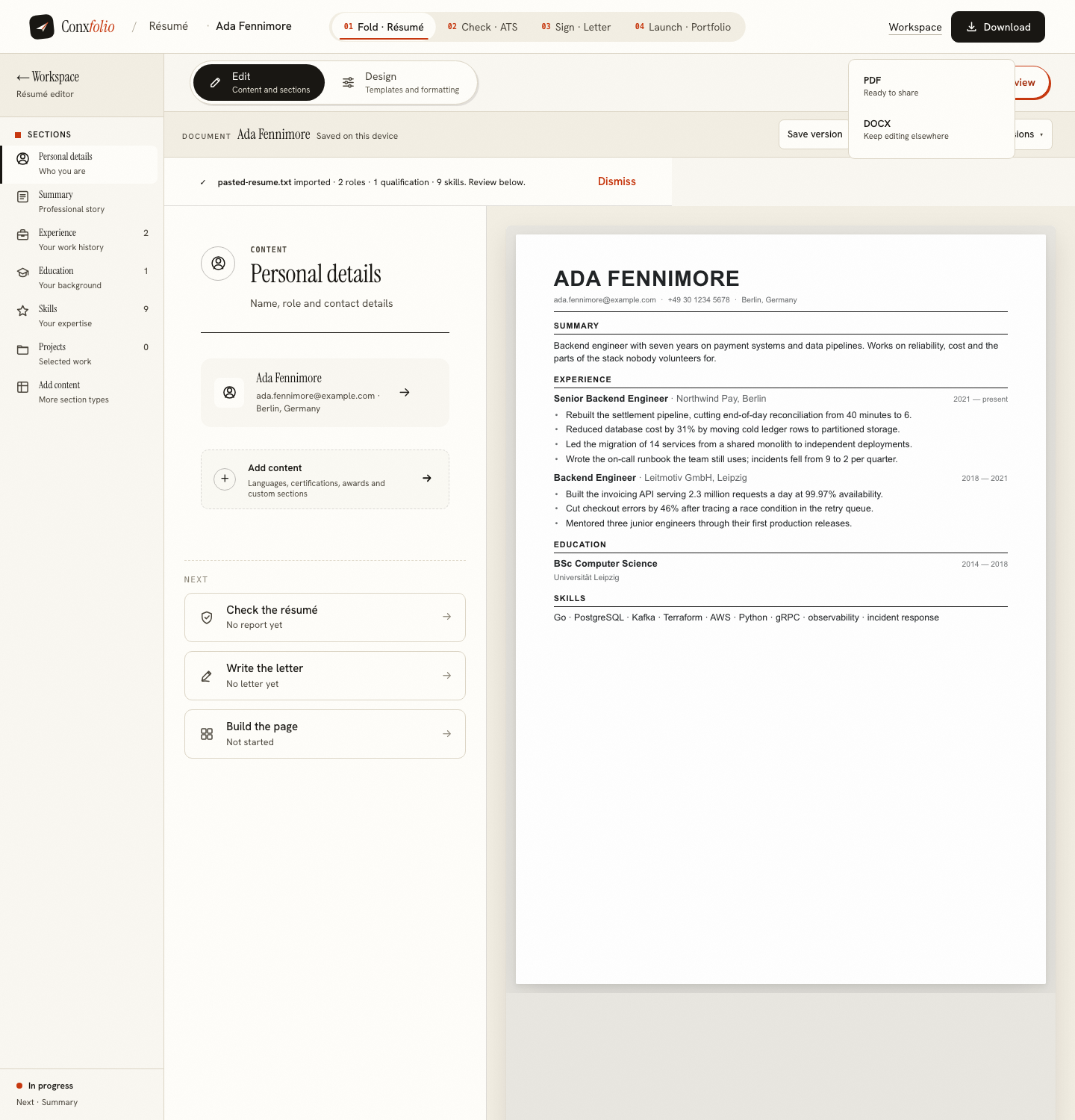
There is a quiet assumption behind most résumé advice: that the thing you are looking at is the thing being read. It is not. The reader receives a file, and the file is the only artefact that matters.
Why a preview is not proof
A preview is your browser rendering the document with the fonts it has, at the width it has, on the screen you own. An export is a file produced by a rendering engine, with fonts embedded and page breaks decided. Those agree most of the time and they are not the same thing, which is exactly why one of them is worth verifying.
The two exports, and their different routes
The DOCX is assembled inside your browser: the OOXML and the zip are built in the page and handed to you. A measured export made zero server calls. The PDF is rendered on our server and came back after exactly one call. Those are two different mechanisms, described in DOCX is built in your browser.
A real example of the gap
Our own exports used to draw bullets as layout, so the text layer carried none. The document looked identical and the same résumé measured seven achievement lines as pasted text and four as an exported PDF, which cost points in the content dimension. Nobody could have seen that in a preview. It was found by measuring the file, and the whole episode is in pulling text back out of a PDF.
How to verify an export in two minutes
Open the PDF and read it. Select all of it and paste it into a notes file, which shows roughly what an extractor sees. Then run the ATS checker on the exported file rather than on the text in the editor, and read the counts before the score.
What our export carries
The document, and three file properties: a title made from your name and the word résumé, an author field, and a producer string naming the rendering engine. We opened our own export to check. There is no mark on the page, which is covered in watermarks and paywalls.
The same rule applies to the letter and the page
Export the letter and read it as a file. For a portfolio the equivalent is the third step, which renders the real page at desktop and phone width rather than showing a picture of one, and that choice is argued in phone width is the page that publishes.
What to check in the file itself
Four things, and all of them in under two minutes. That the pages break where you expected, because the export decides that and the preview approximates it. That the text selects in the order you read it, which is the ten-second test for extraction. That the achievement lines still look like separate lines when pasted into a notes file, which is where drawn bullets used to fail. And that the file name is the one you want an employer to see in a folder. None of these is visible in the editor, and all four are visible in the file.
What this page does not claim
That previews are useless. They are how you write, and they are accurate almost always. The claim is about verification: the last check before sending should be on the artefact, because a fault that only exists in the export is invisible everywhere else, and those are the faults that cost applications quietly.
One habit that catches nearly all of these at once, and takes ten seconds. Open the attachment from your sent message rather than from your downloads folder. That is the exact file the recipient will open, in a viewer that is not yours, and it catches an export that did not finish, a stale version, and the letter addressed to a different company. The rest of that discipline is in emailing a résumé, and the paper version in printing a résumé.
One last note about the DOCX, since it is the export people check least. It is assembled in your browser rather than rendered on a server, so it is worth opening once in whatever software your recipient is likely to use. It should carry your headings, your sections and your lines in the right order. If you only ever verify the PDF, the DOCX is the file that will quietly develop a fault, and it is the one an advert asking for Word will receive.
Export it, then check that file
PDF and DOCX, free, in every design. Run the check on the exported file, because that is the one being read.
Open the résumé builderEmailing a résuméQuestions
- Why check the export rather than the editor
- Because the export is what an employer receives. A rendering in your browser and a file on somebody's machine are two different artefacts.
- How do the two exports differ
- The DOCX is assembled inside your browser and takes no server call. The PDF is rendered on our server and takes exactly one.
- What do the files contain
- The document, plus file properties: a title from your name and the word résumé, an author field, and a producer string. No watermark.
- Can the export differ from the preview
- It can. Fonts, page breaks and how bullets reach the text layer are all decided at render time, which is why checking the file matters.
- Which should I send
- PDF, unless the advert asks for DOCX.
Conxfolio is a free set of four career tools: a résumé builder with 37 rendered layouts, an ATS résumé checker that prints its own arithmetic, a cover letter builder that traces every proof paragraph back to the line it came from, and a portfolio builder with 22 authored designs. There is no account to create, nothing is held back for a paid plan, and no language model is used anywhere in the product, so the readers, the score and the letter are deterministic code you can check.