Publishing a portfolio or keeping it to yourself, and exactly what publishing involves
Building the page and publishing it are separate actions here. The first costs nothing and asks for nothing, and a surprising number of people only need the first.
— an unpublished page is still a page you can look at.
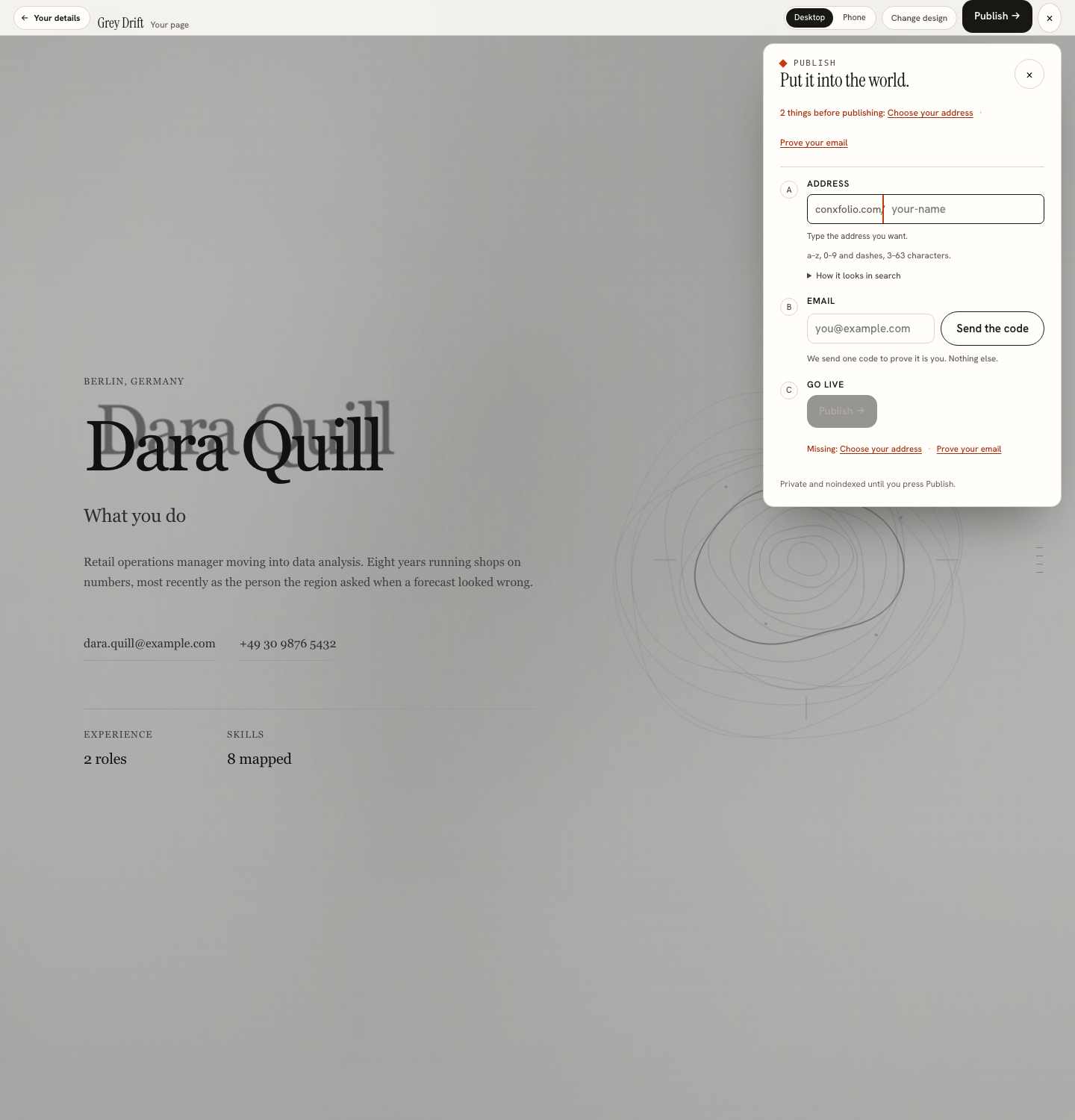
Building a portfolio and putting it on the internet are two different decisions, and this product keeps them apart deliberately. The portfolio builder has three steps, and publishing sits inside the third as an action you take rather than a step you have to pass through.
What the third step gives you without publishing
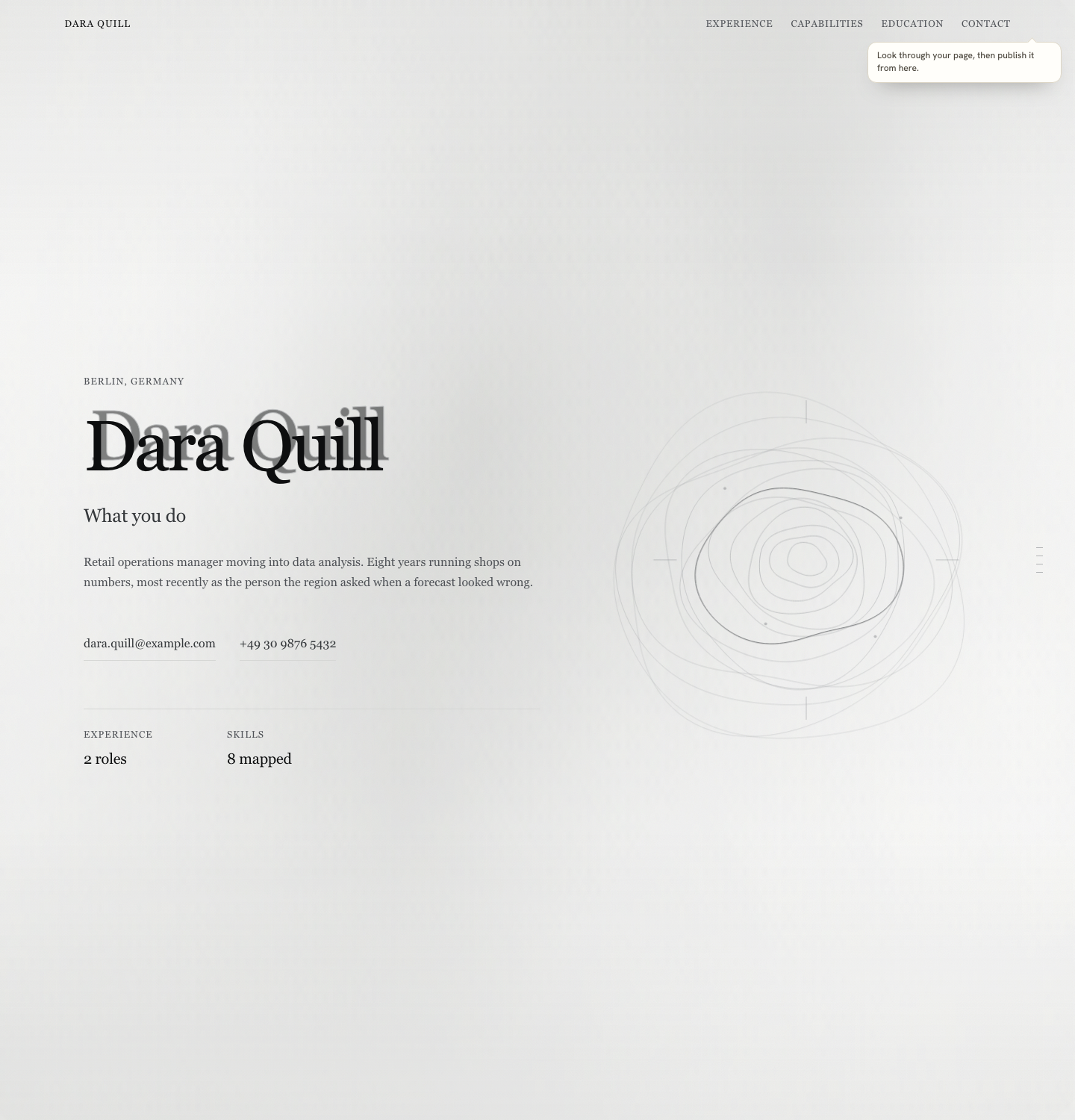
The real page, rendered at desktop and phone width, over the builder. It is not a preview image or a device mock: it is the page. You can change the design, correct entries, look again, and stop there. Everything stays in this browser with the rest of your work, and nothing has been asked of you.
What publishing involves, exactly
The sheet asks for one thing before publishing: your address, checked against a reserved list and against the addresses already taken. A recovery email is optional. Publishing then shows an edit key and a recovery code, once. Nothing in the product requires an email, which is set out in why there is no account.
Why an email at all
Because an address has to belong to somebody. Without that step, anybody could claim the address you are using, and anybody could take your page down. The verification exists to make the claim yours and to make unpublishing require the same session. It is a small ask with a specific job rather than a sign-up.
Taking it down
Unpublishing is a control on the same sheet, behind a confirmation, and it needs the page open with its edit key. A published page is a decision you can reverse, which is worth knowing before you make it. That is a different arrangement from a hosting account you have to remember to close.
The case for keeping it private
Work under an agreement you cannot show. A current employer you have not told. A page you want ready for the week you start looking rather than live now. All three are ordinary, and in all three the useful thing is a finished page you can publish in one action later. The material for it comes from your résumé either way, which is covered in a portfolio website from a résumé.
The case for publishing
A link on the résumé that a reader can open in one click, and a page that is read on a phone by people who will never open a repository. That is the comparison made in portfolio or GitHub, and the line on the résumé itself is covered in linking a portfolio from a résumé. Choosing the address is its own small decision, in choosing a portfolio address.
Choosing the address
The address is typed on the publish sheet and checked against a reserved list and against the addresses already taken, so the answer arrives before you commit rather than after. Short, your own name where it is available, letters, digits and dashes. It goes on a résumé, into an email signature and occasionally onto paper, which are three arguments for making it readable when spoken aloud.
Until the domain is pointed and the public origin is set, the product shows you the form the address takes rather than a live public link, and this page will not present one as though it existed. Choosing a portfolio address covers the naming, and the line it goes on is covered in linking a portfolio from a résumé.
What is not claimed
That a published page changes an outcome. Nothing here measures that and no page on this site says a portfolio gets anybody hired. What is described above is the mechanism, photographed: three steps, one email for one purpose, and an action that can be undone. All 22 designs are free, and the link on a designer's résumé walks the same journey from the other end.
One practical caution before publishing. The page is built from the roles, projects and outcomes in your résumé, and anything switched on is public once the page is. Work under a confidentiality agreement, a client who has not announced a project, and internal figures that are not yours to publish are all easy to carry through by accident from a document you wrote for a single reader. The third step renders the real page at both widths before anything goes live, and reading it as a stranger would is the check worth making, because unpublishing afterwards removes the page and not the memory of it.
Build it and decide later
Three steps to a page you can look at. Publishing is a separate action on the third step, and it can be undone.
Open the portfolio builderRead the address guideQuestions
- What does publishing ask for
- An address, checked against a reserved list and the addresses already taken. A recovery email is optional. Publishing then gives you an edit key and a recovery code.
- Does publishing ask for an email
- No. The page belongs to whoever holds its edit key. A recovery email is optional, and it is used only to send you a new key or tell you when the page changes.
- Can I take it down
- Yes. Unpublishing is a control on the same sheet, with a confirmation, and it needs the page open with its edit key.
- What happens if I never publish
- The page stays in this browser with the rest of your work. You can still look at it at desktop and phone width on the third step, and change it whenever you want.
- Does an unpublished page cost anything
- No. The whole product is free with nothing held back, including publishing and the address itself.
Conxfolio is a free set of four career tools: a résumé builder with 37 rendered layouts, an ATS résumé checker that prints its own arithmetic, a cover letter builder that traces every proof paragraph back to the line it came from, and a portfolio builder with 22 authored designs. There is no account to create, nothing is held back for a paid plan, and no language model is used anywhere in the product, so the readers, the score and the letter are deterministic code you can check.