Putting the letter in the email body instead of attaching it, and what changes
An email body and an attached letter carry the same argument in different containers. The container decides what survives, and it is worth knowing which parts you lose.
— if it goes in the body, the first line does the work of the header.
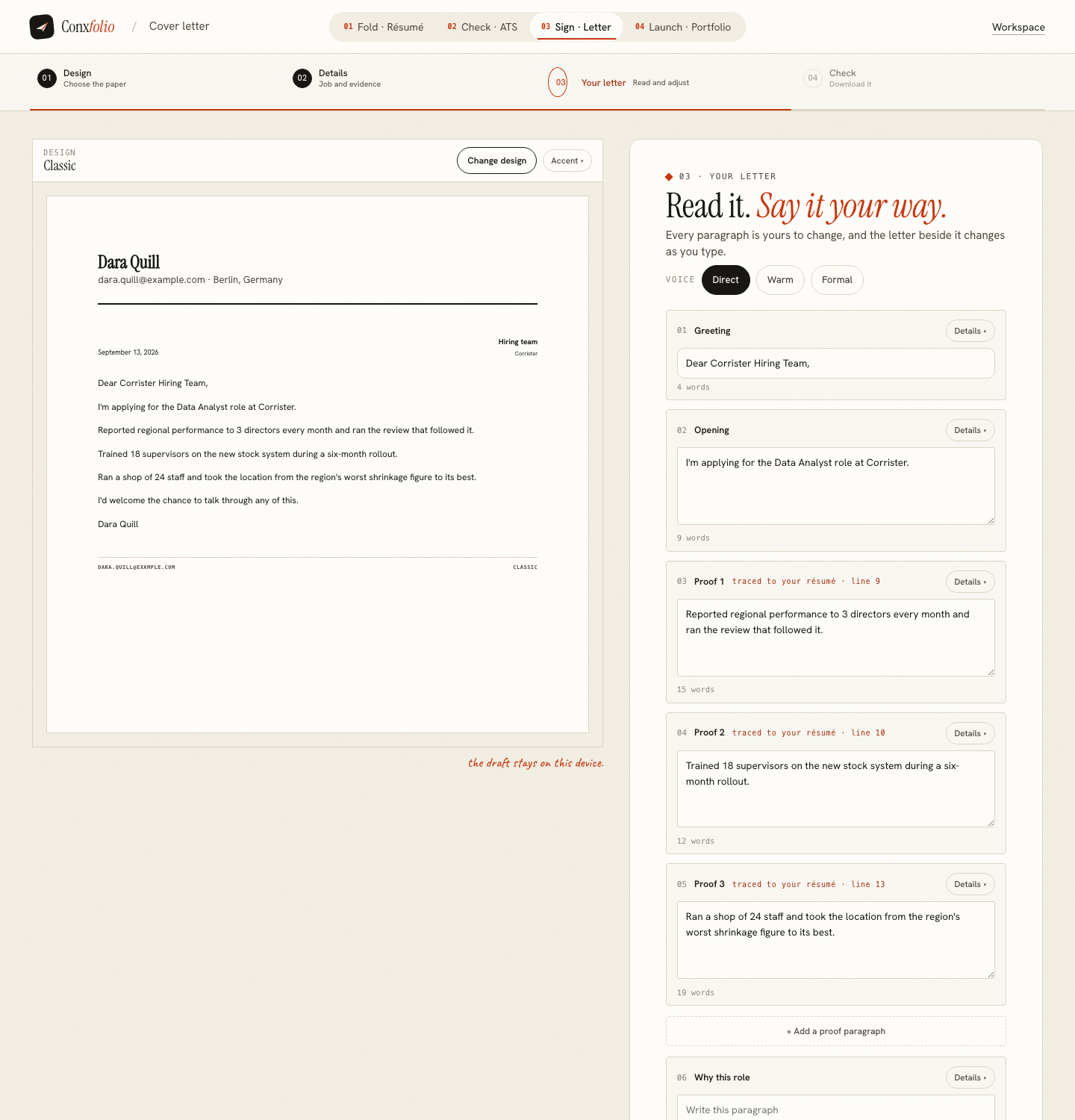
Half of all applications now arrive as an email with a résumé attached and the letter typed into the body. The other half attach both. Postings rarely say which they want, and the two are not the same object. The cover letter builder produces one letter that can go either way, and the decision is about what you are willing to lose.
What an attachment keeps
Everything. The design, the header block with your name and contact details, the date, the spacing and the page. There are 12 designs across 5 families here, and the export is a PDF or a DOCX with no watermark. An attached letter is also a file that gets filed, forwarded and printed with the design intact.
What an email body keeps
The words and their order. That is most of the argument, and it arrives without anybody having to open a file. What goes is the header, which is why a letter written for the body needs its first line to do that job: who you are and which role, in the first sentence rather than in a block above it. Cover letter header and date covers what the header carries when it survives.
There is no copy button, and that is worth saying
The letter is on the page as editable blocks, and the text is selected and copied by hand. The clipboard controls that do exist in the product are for a published portfolio address rather than for letter text. Saying so is more useful than letting you look for a button that is not there.
Length changes between the two
An email is read on a phone. A letter that fills an A4 page fills four screens, and the third paragraph is read by nobody. The United Kingdom's nidirect service says of a covering letter that "one A4 page is preferable" (nidirect.gov.uk), and the National Careers Service describes "a short letter, usually 3 to 5 paragraphs long" (nationalcareers.service.gov.uk). Both are describing the attachment. For a body, the top of that range is the wrong end.
What the engine does either way
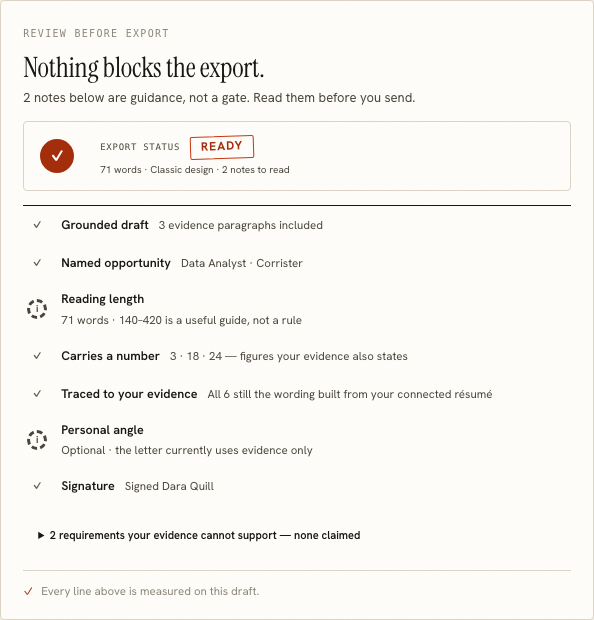
It selects rather than generates. Every evidence paragraph is a sentence from your own résumé, carried back to the line it came from, and requirements the posting asks for that your evidence cannot support come back as gaps rather than as claims. Nothing in it calls a language model. What evidence tracing looks like shows the trace.
The subject line, which has no field
The product does not have one, because it does not send anything. Name the role and any reference the posting gives, in plain words. It is the first thing read and the only part of the application where brevity is unambiguous.
Sending both, which is what most people should do
A shortened version in the body and the full letter attached covers both readers: the one who scans the email on a phone and the one who opens the file later. The body version is three or four sentences carrying your name, the role, one proof and a close. The attachment is the letter as written, with its design and header.
The two must agree. A body that claims something the attached letter does not support is the same failure as a profile that contradicts a résumé, and it is avoidable by writing the body as a cut-down of the letter rather than as a separate piece. The letter's blocks are editable fields with their own word counts, which makes cutting to length a measured operation rather than a guess.
The practical answer
Write the letter once in the builder. Put a shortened version in the body, attach the PDF, and make the first sentence of the body carry your name and the role. Nothing on this page predicts what any employer does with either, and no page on this site claims a letter gets anybody hired. Cover letter structure and opening lines carry the writing, and the letter gallery shows the designs whole.
A note on what survives a copy and paste. The letter on the page is plain text in blocks, so the words and the paragraph breaks carry across cleanly into any mail client. What does not carry is anything the design was doing: the accent colour, the typeface, the header block and the spacing between elements. That is worth knowing rather than discovering after sending, and it is the practical reason the body version needs its own first sentence rather than a header that no longer exists.
Write it once, send it either way
The same letter exports as a PDF or a DOCX, and the text is in front of you to copy. Free, no account.
Open the cover letter builderRead the header and date guideQuestions
- Is there a copy button for the letter
- No. The letter sits on the page as editable blocks with their own word counts, so the text can be selected and copied by hand. The clipboard buttons in the product are for a published portfolio address.
- What does the export give me
- A PDF or a DOCX in any of the 12 designs, free and without a watermark, with the header, the date and the design intact.
- Which should I send
- What the posting asks for. Where it is silent, an email body is read sooner and an attachment keeps the design. Sending both is common and costs nothing.
- What do I lose in an email body
- The design, the header block and the layout. The words and the order survive, which is most of the argument.
- Does the subject line matter
- It is the first thing read and the product has no field for it. Name the role and the reference the posting gives, in plain words.
Conxfolio is a free set of four career tools: a résumé builder with 37 rendered layouts, an ATS résumé checker that prints its own arithmetic, a cover letter builder that traces every proof paragraph back to the line it came from, and a portfolio builder with 22 authored designs. There is no account to create, nothing is held back for a paid plan, and no language model is used anywhere in the product, so the readers, the score and the letter are deterministic code you can check.