Why a résumé comes out scrambled, and how to see it happen
A document that looks perfect can extract as nonsense. The causes are few, specific, and visible in a check that takes a minute.
— look at the extracted text once and the mystery goes away.
The complaint is always the same. The document looked immaculate, and something at the other end turned it into a jumble. The causes are few and they are all layout habits, so they are all fixable.
The gap between looking right and reading right
A page describes where marks go. It does not necessarily describe the order somebody should read them in. When a layout places text with columns, cells or floating boxes, the order in the file can differ from the order your eye takes, and an extractor follows the file.
Cause one: two columns
The most common by far. A sidebar of skills beside a main column of experience can extract as alternating lines, so a skill lands between a job title and its dates. Our checker deducts 22 points of parseability for a detected table or multi-column pattern, which is the single largest deduction in that dimension. The argument in full is in single column against two column.
Cause two: tables
Tables are the tidy way to line up dates, and they are the reason dates go missing. A parser reading a table cell by cell produces text that reads down the columns rather than across the rows. Tables and text boxes in a résumé covers what to use instead.
Cause three: headers, footers and text boxes
Contact details in a header region are a frequent and expensive mistake, because some extractors skip that region entirely and the résumé arrives without an email address. Completeness gives 10 points to an email and 5 to a phone number, so this one quietly costs 15 before anything else is measured. Put contact details in the body of the document, as described in the header and contact details guide.
Cause four: characters that are not characters
Decorative bullets from an icon font, ligatures that extract as a single odd glyph, and a scanned page with no text layer at all. Our checker deducts 8 for decorative characters and 18 when three or more unreadable glyphs appear in the extracted text. A scan is a different problem again, and it has its own walkthrough in checking a scanned résumé.
How to see it for yourself in a minute
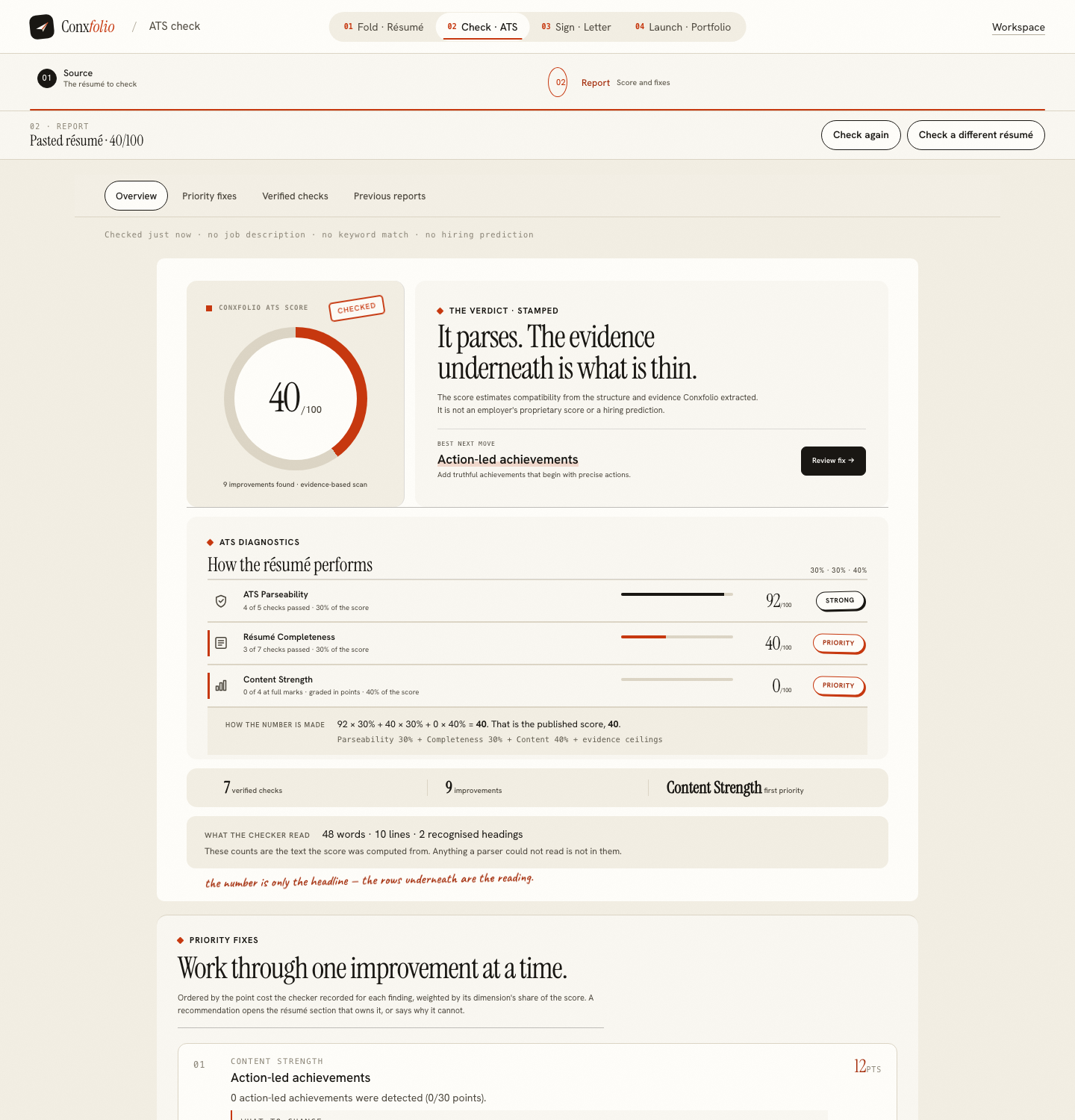
Run the ATS checker on the file you actually send. Read the line that says how many words, lines and recognised headings it found. On a clean specimen that was 162 words, 18 lines and 4 recognised headings; on a weak one, 48 words, 10 lines and 2 headings. If your two-page document reports a fraction of what is on it, the extraction is the story.
The order to repair them in
Columns first, because a multi-column pattern carries the largest single deduction and because it is usually hiding a whole section. Then the header region, because contact details that do not extract cost 20 points of completeness before anything else is measured. Then the tables, then the decorative characters, then the dates. Working in that order means each repair is measurable on its own, and the report keeps the earlier run so you can see what each one bought. Doing all five at once produces a better document and no information about which change mattered, which is fine for this résumé and useless for the next one.
What this page does not claim
That our extraction is identical to an employer's. Different systems use different libraries and will differ at the edges. What is shared is the principle: text that has a single clear order survives every reader, and text whose order depends on where it sits on the page does not. That is why the fix is structural rather than cosmetic, and why 24 of our 37 designs carry the ATS-safe mark, explained in what ATS-safe means on a design.
One correction worth making, because it saves people a lot of pointless anxiety. A scrambled extraction is not evidence that a machine has judged you. It is evidence that a reading went wrong, which is a mechanical fault with a mechanical fix, and the difference between the reading and the judging is the subject of parsing against screening. Fixing the layout takes an afternoon, and fixing a two-column résumé step by step is that afternoon written down.
One reassurance for anybody who has just discovered this on their own document. A scrambled extraction is not evidence that your applications were rejected, and it is not evidence that they were read either. It is evidence that a reading went wrong, which you can now fix, and that is the only claim this page makes. The repair is an afternoon and it is permanent, because a single-column document with plain headings keeps extracting cleanly through every subsequent edit and every design change.
See what comes out of your file
The report prints the words, lines and recognised headings it extracted. If those counts are wrong, the layout is the reason.
Open the ATS checkerTables and text boxesQuestions
- Why does a document that looks fine extract badly
- Because the visual arrangement and the underlying text order are two different things. A column, a table cell or a text box places text on the page without committing to where it sits in the reading order.
- What does it cost in the check
- A detected table or multi-column pattern costs 22 points of parseability. No standard section with readable content under it costs 24, or 8 if only one is missing. Decorative characters cost 8, and unreadable glyphs 18.
- Is a PDF or a DOCX more reliable
- Both extract well when the layout is simple. Both extract badly when it is not. The format is rarely the problem; the columns usually are.
- How do I tell whether mine is affected
- Run the check and read the line that says how many words, lines and headings it found. If those numbers are far below what is on your page, you have your answer.
- Do I have to give up on design
- No. 24 of the 37 designs here are marked ATS-safe, and they are designed rather than plain.
Conxfolio is a free set of four career tools: a résumé builder with 37 rendered layouts, an ATS résumé checker that prints its own arithmetic, a cover letter builder that traces every proof paragraph back to the line it came from, and a portfolio builder with 22 authored designs. There is no account to create, nothing is held back for a paid plan, and no language model is used anywhere in the product, so the readers, the score and the letter are deterministic code you can check.