How to check a scanned or photographed résumé
An image has no text layer, so recognition runs in the browser before anything is scored. A measured scan of a clean page read 157 words and scored 85, and what it lost is the useful part.
— a photo is not a document.
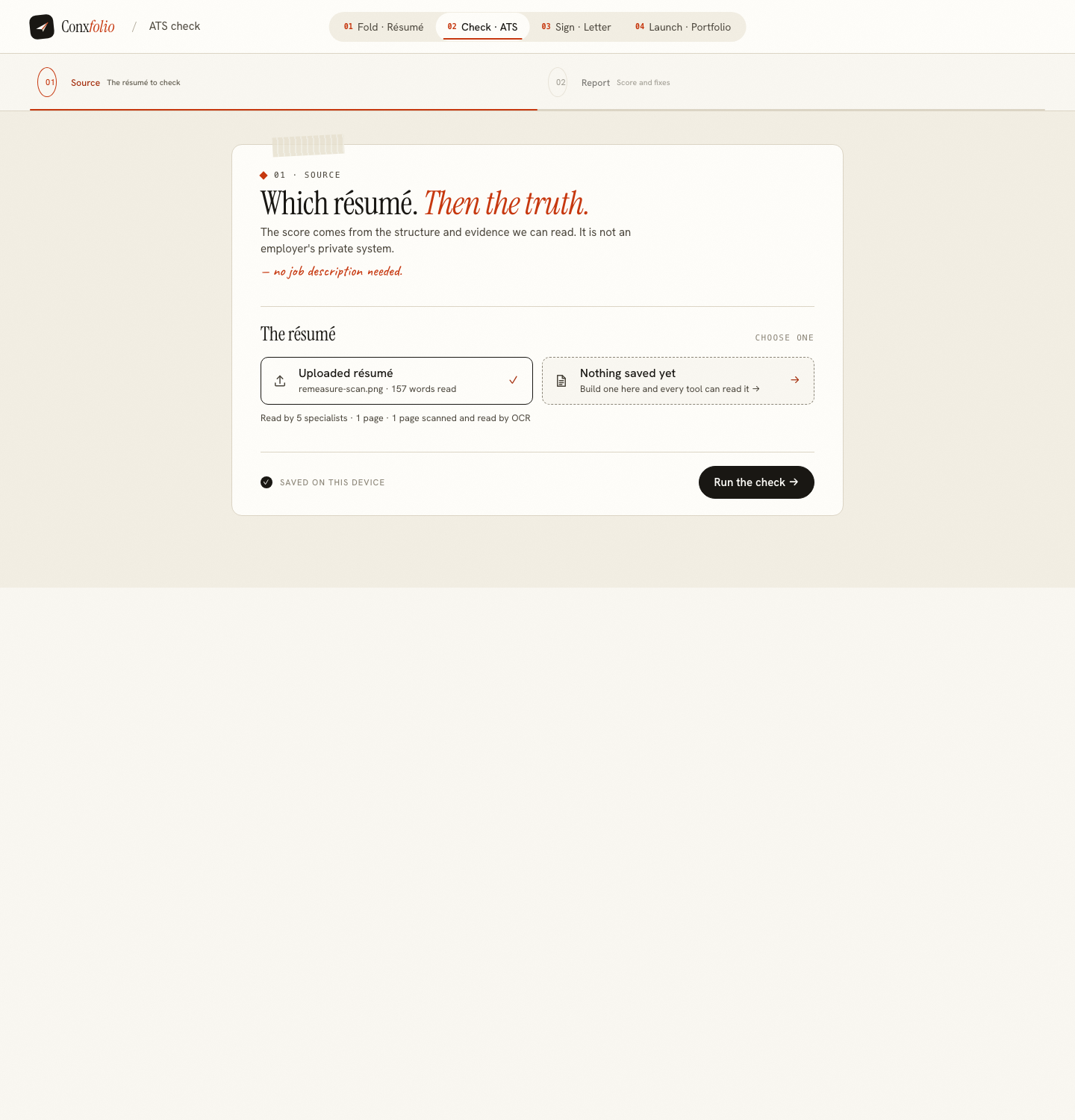
Scanned résumés exist for good reasons. A printed copy is the only one left, the original file was on a laptop that died, or somebody photographed a page and sent it from a phone. An application portal will accept the image without complaint, and then a parser has to read it.
The ATS review reads images through the same path, so it can show you exactly what that costs.
What happens to the image
An image has no text layer, so text has to be recognised from the pixels. That recognition runs in this browser. The image bytes stay in the tab, and only the recovered text is sent to be scored. Seven languages are supported: English, German, French, Spanish, Italian, Portuguese and Dutch.
The same path handles a PDF whose pages are pictures, which is what a flatbed scanner produces. A PDF with a real text layer takes the direct route instead, described in pulling text back out of a PDF.
The measurement, and why it is worth printing
For this page the test was made as fair as possible. A résumé exported by this product as a one-page A4 PDF was rasterised at 150 dpi into a PNG, which removes the text layer and leaves a clean, straight, well-lit page: a far better scan than a phone photograph of a creased sheet. It was measured on 26 September 2026.
That image went through the review. It recovered 157 words, 2 roles, 1 degree and 9 skills, left the name empty, and the report printed 100 times 30 per cent plus 90 times 30 per cent plus 71 times 40 per cent, published as 85.
The same résumé as the text PDF read 170 words, the name, 2 roles, 1 degree and 9 skills, and scored 88. The candidate is invented for these captures and is named as invented wherever she appears.
When this page was first published on 12 September the equivalent test published 60, and on 13 September 75: recognition then lost the bullet marks and broke achievement lines apart, and six of seven stopped counting. The reader and the rules have both changed since, and on a clean scan the achievement lines now come through whole.
Where the three points went
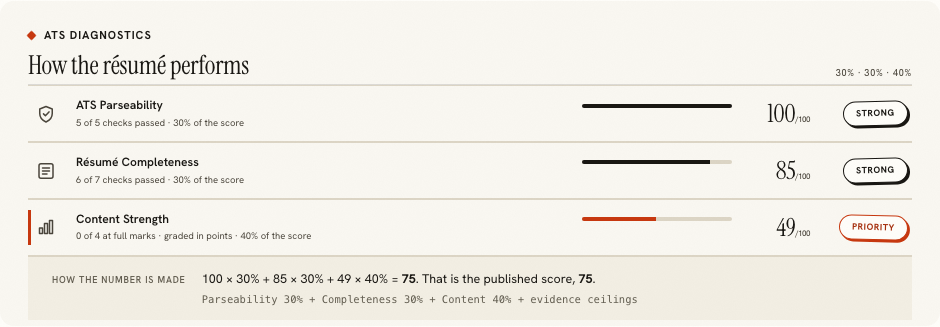
Almost all of it from one check. Parseability stayed at 100 and content at 71, exactly as in the text version, because the roles, dates, bullets and figures all survived. Completeness fell to 90 because recognition did not recover the name at the top of the page, so the identity check had nothing to find. It also read Universität as Universitat.
The name is the lesson, because it is the one field a scan most often loses: it is usually the largest type on the page, set in a display face, often in capitals, and recognition trained on body text is least sure of it. A page that loses the name has lost the one line a parser most needs.
What this tells you to do
Send a text document. That is the whole recommendation. A clean scan of a good résumé lost its name before any employer saw it; a crooked phone photograph of a folded page will lose far more, and it is the content dimension, the half that grades your evidence, that falls when lines break apart.
If the scan is genuinely all you have, use it as a starting point rather than as the document. Import the recognised text into the résumé builder, check the review against the paper, fill the name and anything else it left empty, and download a real PDF and DOCX from the other side. The correcting is ten minutes and it is the only way the lost fields come back.
Reading the review on a scan
Two things first, in this order. The word count on the file card, against the length of the page you are holding, because that tells you whether recognition worked at all. Then the fields shown as empty, starting with your name, because a scan that recovers the text but loses the head of the page scores badly for a reason that takes four words to fix.
The guide on scanned and image PDFs covers the document side of this, and the headings guide covers which section names are recognised.
What the check is not saying
It is not saying an employer's system will score your scan at 85. It has no access to any employer's software and it never sees a job description. It is saying what a careful machine reading recovered from your image, and that is the quantity every parser is working from. A number lower than you expect on a document you know is good is a statement about the file, not about the work in it.
Getting a better scan, if a scan is unavoidable
Four things help, in order of effect. Flat paper, because a fold puts a shadow across a line and shadows eat characters. Even light with no glare, which usually means daylight and not a ceiling lamp directly overhead. The page square in the frame rather than at an angle. And as much resolution as the device will give you, since recognition works on pixels and there is no substitute for having more of them.
Then read the review before anything else. If the word count is close to the length of the page and the name is there, the scan worked. If it is far below, no amount of rescoring will help and the honest next step is to retype the document, which the builder makes faster than it sounds because the sections are already laid out for you.
Read a scan, and see what it cost
Upload an image or a scanned PDF. Recognition runs in this browser, and the review shows what it recovered before the score.
Open the ATS checkerRebuild it as a documentQuestions
- Is the image uploaded
- No. Recognition runs in this browser, so the image bytes stay in the tab. Only the recovered text is sent to be scored.
- Which languages are recognised
- Seven: English, German, French, Spanish, Italian, Portuguese and Dutch.
- How much does a scan lose
- Measured on 26 September, a clean 150 dpi rasterisation of a one-page résumé exported here recovered 157 words and scored 85; the same file as a text PDF scored 88. Recognition kept the roles, the degree, the skills and every achievement line. It lost the name, which costs the identity check, and the umlaut in Universität.
- Why does the score fall
- On that scan, completeness fell from 100 to 90 because no name was recovered, and that is almost the whole difference. On a crooked or shadowed phone photograph, recognition loses far more, and the content dimension falls with it.
- So should I send a scan
- No. Use the check to see what a scan costs, then send a text document. A PDF with a real text layer, or a DOCX.
- What if the scan is all I have
- Recognise it here, import the result into the builder, correct it against the paper, and download a proper file. That is the fix rather than a workaround.
Conxfolio is a free set of four career tools: a résumé builder with 37 rendered layouts, an ATS résumé checker that prints its own arithmetic, a cover letter builder that traces every proof paragraph back to the line it came from, and a portfolio builder with 22 authored designs. There is no account to create, nothing is held back for a paid plan, and no language model is used anywhere in the product, so the readers, the score and the letter are deterministic code you can check.