A badge about a layout, and never a promise about an employer's software
Every résumé site sells ATS-friendly templates. Almost none of them will tell you what the phrase is supposed to mean, because the honest version is narrow.
— a layout is checkable; an employer's parser is not.
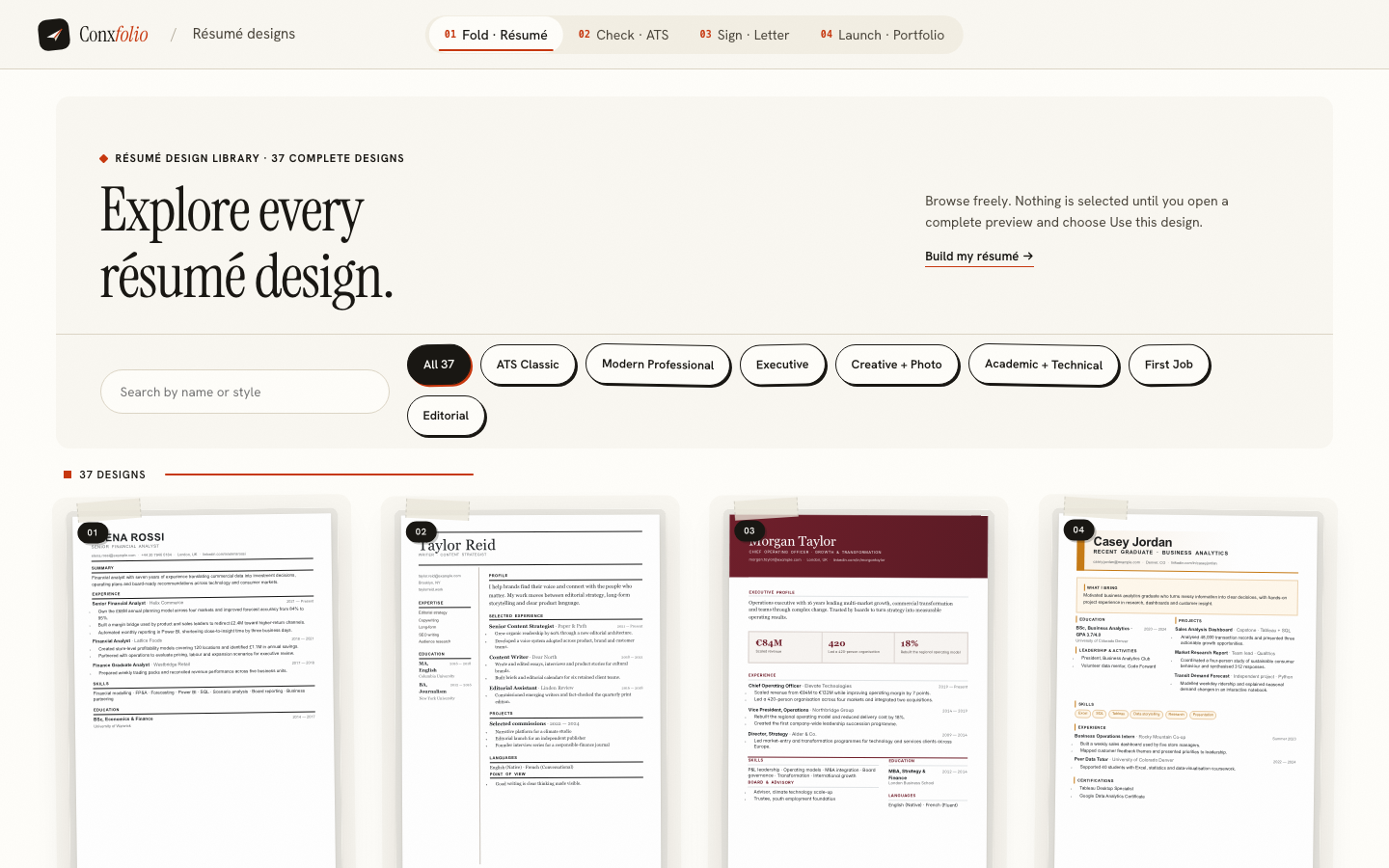
The phrase ATS-friendly has been worn smooth. It appears on template galleries next to layouts with two columns, an icon set and a photograph, and it means nothing at all, because the seller has no access to the software they are implying compatibility with.
The résumé builder uses a narrower claim, and it is written on the gallery page itself.
The definition in use
ATS-safe here means the layout is single-column and the exported PDF still yields its text when the text is pulled back out. It is a property of the layout, not a promise about a particular employer's software. That sentence is short enough to check and modest enough to be true, which is the whole point.
How many, and what the rest are
24 of the 37 designs carry the mark. The others are marked design-led, and the gallery filter counts both so nobody has to take a number on trust. A design-led layout trades some parseability for a stronger visual structure, which is a sensible trade when a human opens the file first and a bad one when it goes into a portal.
What actually breaks a parser
Reading order, mostly. A two-column page is drawn as two columns and read as one stream, and the stream interleaves. Then text drawn as an image, which yields nothing at all without optical character recognition. Then decorative characters, which arrive as unfamiliar glyphs in the middle of your job titles. The checker deducts for each of those and names them: a table or multi-column pattern was detected, decorative characters were detected, unreadable glyphs were extracted from the text layer.
The test behind the mark
Pull the text back out of the exported PDF and see whether it is still your résumé. We ran that test on a live export: 159 words recovered from a 162-word source, all four headings, both roles, both date ranges and all nine skills, in order. The full round trip, including the one scoring row that moved, is in pulling text back out of a PDF.
The mark is on the card, not in a brochure
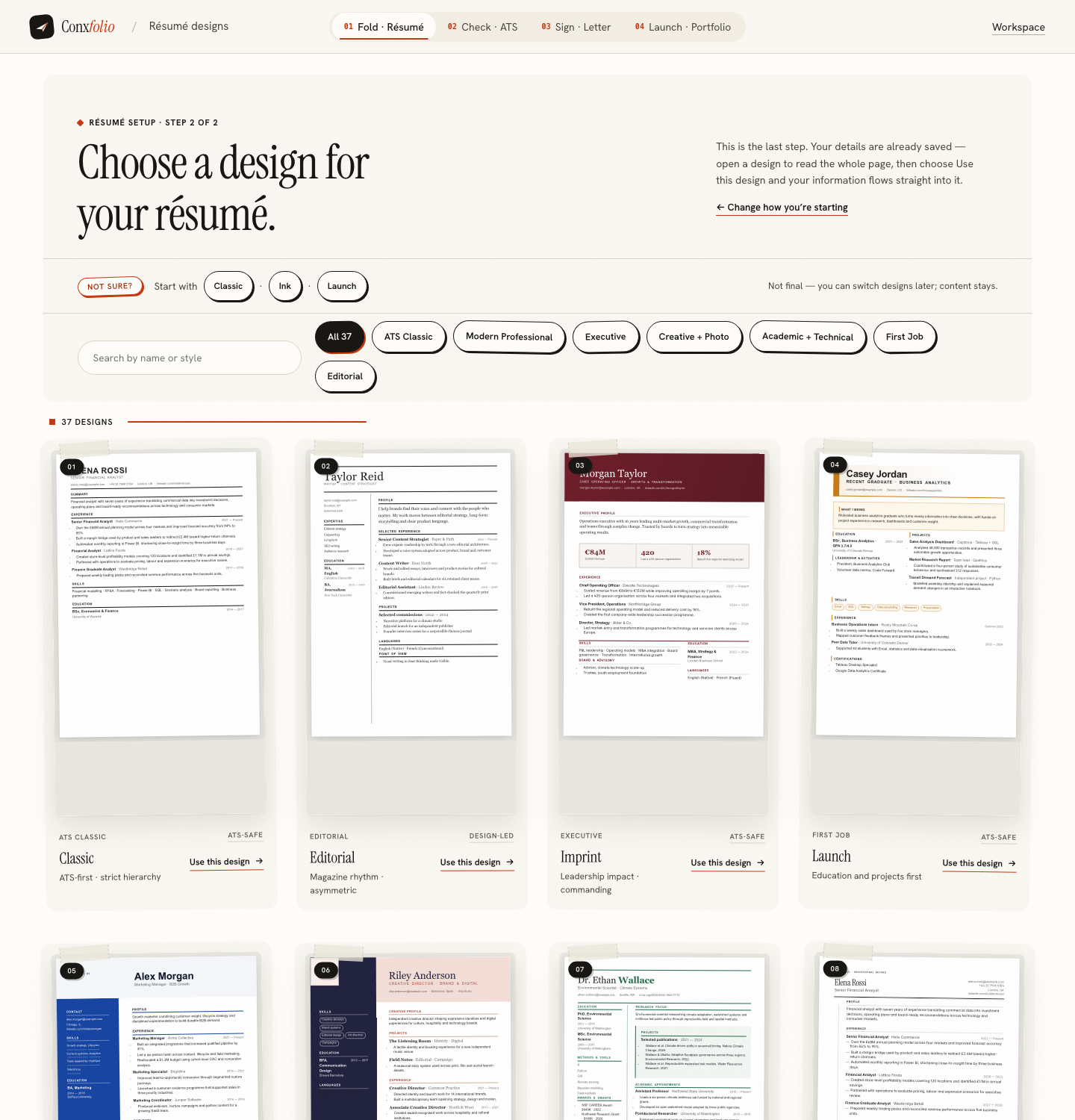
Each card renders the whole page rather than a thumbnail, with its family and its mark underneath, so the choice between a safe layout and a design-led one is made while looking at both. Switching later changes nothing about the words, which is a design is not a rewrite.
Seven families, and what the filter is for
The designs are grouped by the kind of document they are: ATS classic, modern professional, executive, creative with a photo, academic and technical, first job, and editorial. The families are a faster way in than the safe mark alone, because they answer a different question. The mark says whether a parser can read the page. The family says whether the page leads with the thing you want read first.
A first-job layout puts education and projects near the top, which is correct with two years of experience and wrong with fifteen. An executive layout gives the first three lines to scope. An academic and technical layout expects publications and a long skills block to be structural rather than decorative. Choosing the family first and then filtering to the marked layouts inside it takes about a minute, and both filters are on the same screen.
What to do with the badge
Treat it as a floor, not a strategy. If you are applying through a portal, start from the marked layouts and spend your effort on the evidence, because a readable page with thin content still scores badly and the checker will tell you so in points. If a person is opening the file, a design-led layout costs you little and may be worth something. Either way the only test that matters is the one you can run on the file you are about to send, and it takes about a minute.
Choose a design and check it yourself
Filter the gallery to the 24 marked layouts, export one, and run the file you would actually send through the checker.
Open the résumé builderBrowse the résumé designsQuestions
- What does ATS-safe mean here
- That the layout is single-column and the exported PDF still yields its text when the text is pulled back out. It is a property of the layout, not a promise about a particular employer's software.
- How many designs carry the mark
- 24 of the 37. The gallery filter counts them for you and the rest are marked design-led.
- Are the design-led layouts a mistake
- No. They trade some parseability for a stronger visual structure, which is a reasonable choice when a person reads the page before any software does. The mark exists so the trade is yours to make knowingly.
- Can you promise a design will pass a particular ATS
- No, and neither can anyone else who does not own that system. What can be promised is the property the badge describes, which is checkable by you on your own file.
- What breaks parsing most often
- Multi-column reading order, text drawn as an image, and decorative characters. The checker deducts for a detected table or column pattern and for decorative symbols, and says so on the report.
Conxfolio is a free set of four career tools: a résumé builder with 37 rendered layouts, an ATS résumé checker that prints its own arithmetic, a cover letter builder that traces every proof paragraph back to the line it came from, and a portfolio builder with 22 authored designs. There is no account to create, nothing is held back for a paid plan, and no language model is used anywhere in the product, so the readers, the score and the letter are deterministic code you can check.