A portfolio page from your résumé, walked end to end
The free portfolio builder takes three moves, and the material comes from the résumé you already wrote. Here is each one, with no sign-up.
— the page is rendered, not previewed.
The portfolio builder takes three moves, and the material for it already exists if you have written a résumé. What follows is the journey as it runs.
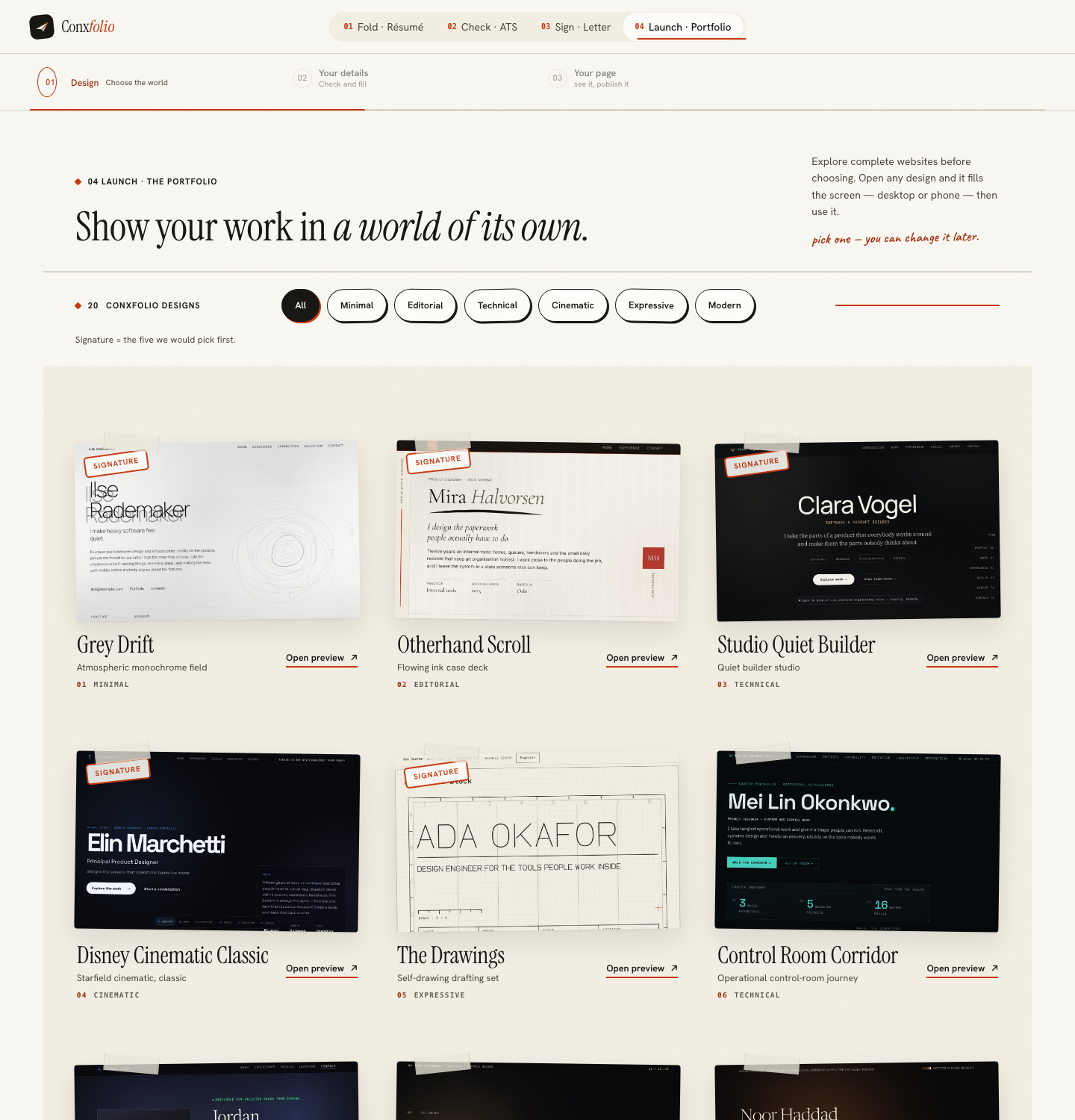
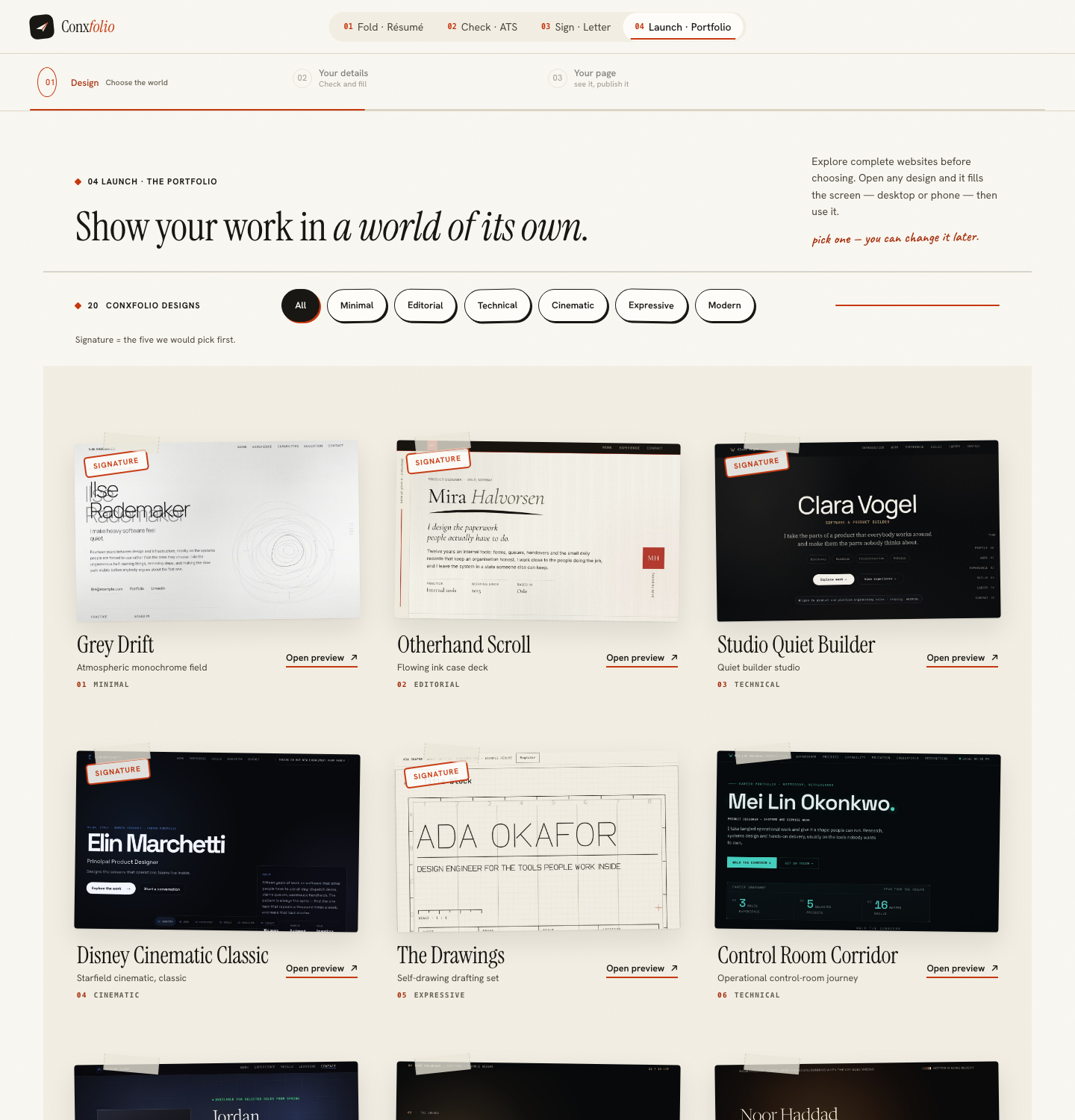
Choose a design
Each is a complete hand-built page rather than a theme over a template, which is the subject of designing twenty portfolio worlds. The gallery lets you read a design at full size first, which is the same principle as the letter gallery.
Fill it from your résumé
Choose Fill from my résumé and your roles, projects and outcomes arrive, after a review of what was read. You switch each entry to Shown or Hidden and correct it: a name, your role, a period, one line about what changed, and optionally a subtitle, a short description, highlights, a link and tags. It does not write your entries and it does not add projects you have not done.
The step that takes the longest
The one-line summaries. A résumé bullet is written for one reader with a job in mind; a portfolio entry is read by a stranger with no context. Rewriting each into a sentence that says what the thing was and what changed is the real work, and case studies in a portfolio covers the longer version.
Preview and publish: the real thing
Preview & publish renders your actual page, with a desktop and a phone switch. It is not an image of a page and it is not a device mock. Read it at phone width in particular, because that is where most people will see it, which is argued in phone width is the page that publishes.
Publishing, which is optional
Publishing is an action on that same view rather than a fourth step. The publish sheet asks for your address, and publishing gives you an edit key; no step requires an email. It can be undone, and the whole decision is weighed in publishing a portfolio or keeping it private.
Then the line on the résumé
A portfolio nobody can find is a page you made for yourself. The link belongs in the contact details of the document, which is covered in linking a portfolio from a résumé, and choosing the address itself in choosing a portfolio address.
The check nobody does, and should
Read your own page at phone width as though you had arrived from a link in a message. Most portfolio pages are designed at desktop width and met at 390, and the difference is not subtle: a hero that works across a wide screen becomes three screens of scrolling before the first piece of work appears. Preview & publish has the phone switch for exactly this, and it renders the real page rather than a picture of one. If the first thing a stranger sees on a phone is not a piece of your work, the entries are in the wrong order.
What this page does not claim
Twenty minutes. The slug says so and we have not timed anybody, so the honest description is three moves with one of them requiring thought. It also does not claim a published page changes an outcome, because nothing here measures that. What is claimed is what the product does: authored designs, material taken from your own document, the real page rendered at both widths, and publishing as a reversible action.
One decision worth making before you start rather than halfway through. A portfolio is public in a way a résumé is not, so anything switched on is visible to a current employer, a client who has not announced a project, and anyone else who has the address. Deciding which entries are publishable in the builder is much easier than deciding it under Preview & publish with a finished page in front of you, and what a portfolio proves that a résumé cannot covers what belongs there in the first place.
A final note about what to do when you have very little to show. Build the page anyway, with two entries rather than eight, and do not publish it. A page with two well-written pieces of work is a useful thing to have ready, and the discipline of writing those two entries usually improves the résumé lines they came from. Publishing is a separate action taken later, when there is a third entry worth adding, and nothing about the work is wasted in the meantime.
Build it from the résumé you already have
Choose a design and fill it from your résumé: the material comes from your roles, projects and outcomes, and publishing is optional.
Open the portfolio builderWhat to put in a portfolioQuestions
- What are the moves
- Choose a design in the gallery and press Use this design. Fill the builder from your résumé and correct it. Open Preview and publish to see the real page, and publish it if you want to.
- Where does the content come from
- The roles, projects and outcomes already in your résumé. You switch on what belongs and correct each entry.
- Is Preview and publish just a preview
- It is the real page, rendered, with a desktop and a phone switch. Not an image and not a device mock.
- Do I have to publish
- No. Publishing is an action at the end rather than a step you pass through, and it can be undone.
- What does publishing ask for
- An address. Publishing then gives you an edit key and a recovery code.
Conxfolio is a free set of four career tools: a résumé builder with 37 rendered layouts, an ATS résumé checker that prints its own arithmetic, a cover letter builder that traces every proof paragraph back to the line it came from, and a portfolio builder with 22 authored designs. There is no account to create, nothing is held back for a paid plan, and no language model is used anywhere in the product, so the readers, the score and the letter are deterministic code you can check.