How to write a cover letter from a PDF résumé you already have
You do not have to rebuild the résumé first. Upload the PDF when the letter builder asks for your résumé, and the lines it reads become the only material the letter is allowed to use.
— the file you already send people.
Most people applying for a job already have a résumé. It is a PDF, it is two years old, it is fine, and the last thing they want is to retype it into a builder in order to get a cover letter out the other end.
The cover letter builder takes the file directly. This page is that route, done and photographed in a browser holding nothing, with a PDF exported from this site as the file.
Where the file goes in
The builder's first screen offers two ways in: write a letter from a blank page, or start with your résumé. Choose the second, and the import asks for a file or pasted text. Choosing a file opens the ordinary file picker.
The file is read locally. The text is extracted from the PDF's own text layer where it has one, and a page without a text layer goes through recognition in the browser, which is the mechanism described in pulling text back out of a PDF.
The numbers to look at
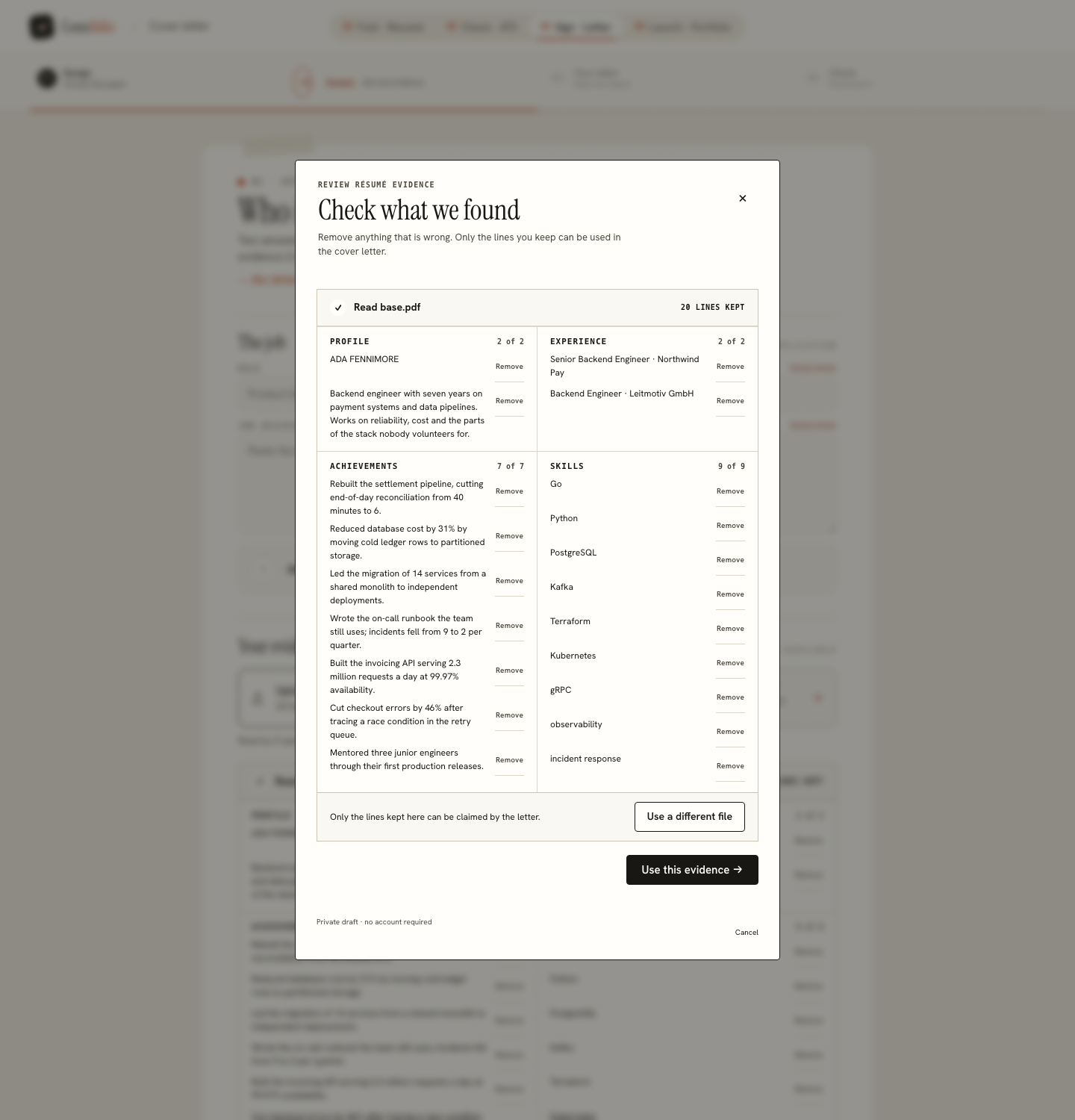
After the reading, the review shows what it got: the file name, the number of words read, and a row of counts for roles, projects, degrees, languages and skills, with everything it found laid out underneath. Those numbers are the honest preview of everything after them, because what they count is the entire pool the letter is allowed to draw from.
If the counts are much smaller than the page you know you have, the PDF is losing text before anything reads it, which is a problem worth fixing before you write a letter at all. Run the same file through the ATS review, which prints the extracted text line by line beside the score, and read the format guide for the layout habits that cause it.
The job half
Confirm the review and the builder opens on your letter. Under Details & drafting it asks for the role, the company and the job description, with the recipient's details as optional extras. The posting is what the letter is answering, so it is read for requirements, and the builder tells you how many it recognised.
The builder never writes a reason for wanting the job, because a reason cannot be read out of a résumé. If you have one, add it in your own words to the Opening paragraph once the draft exists.
What comes back
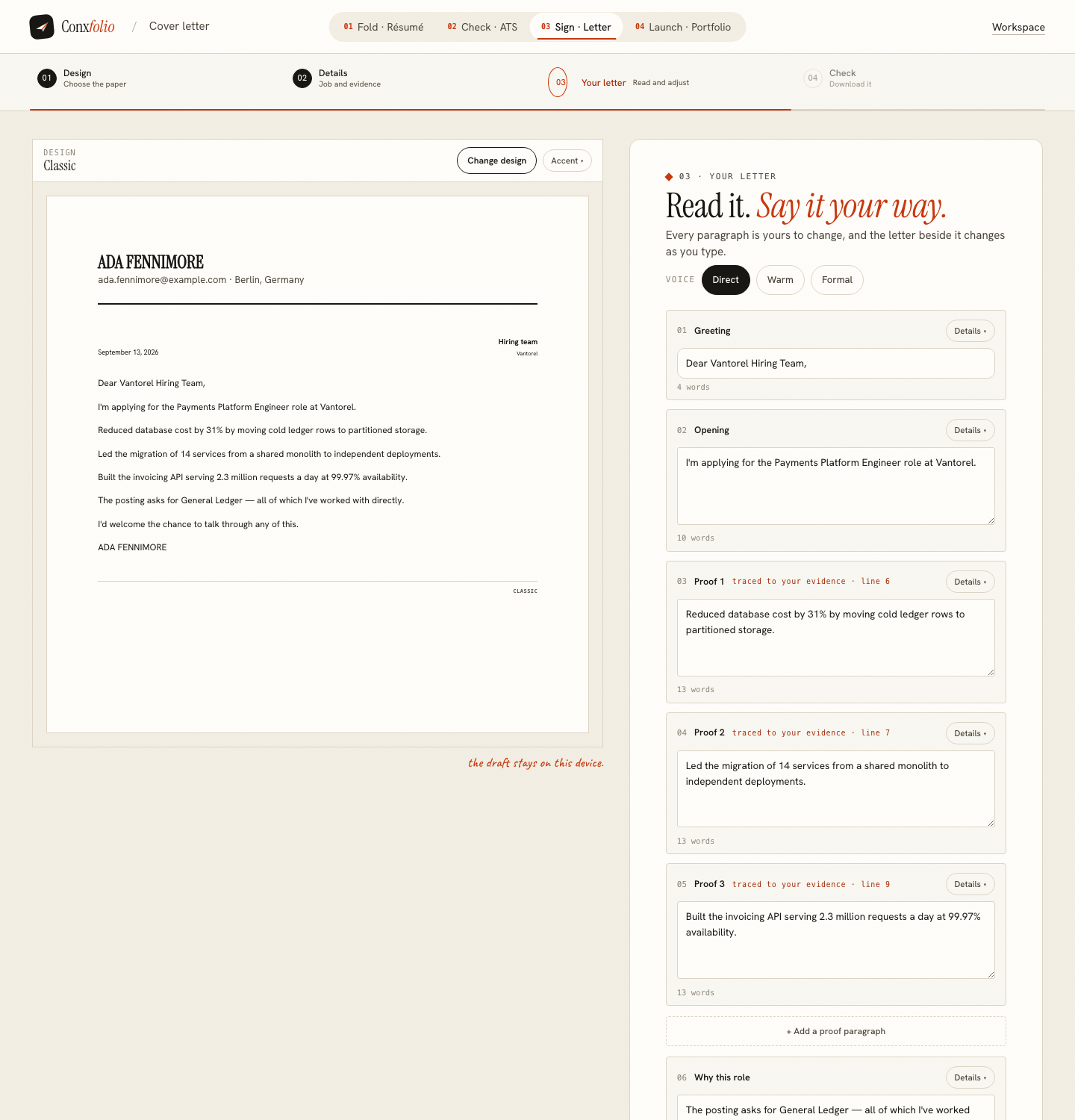
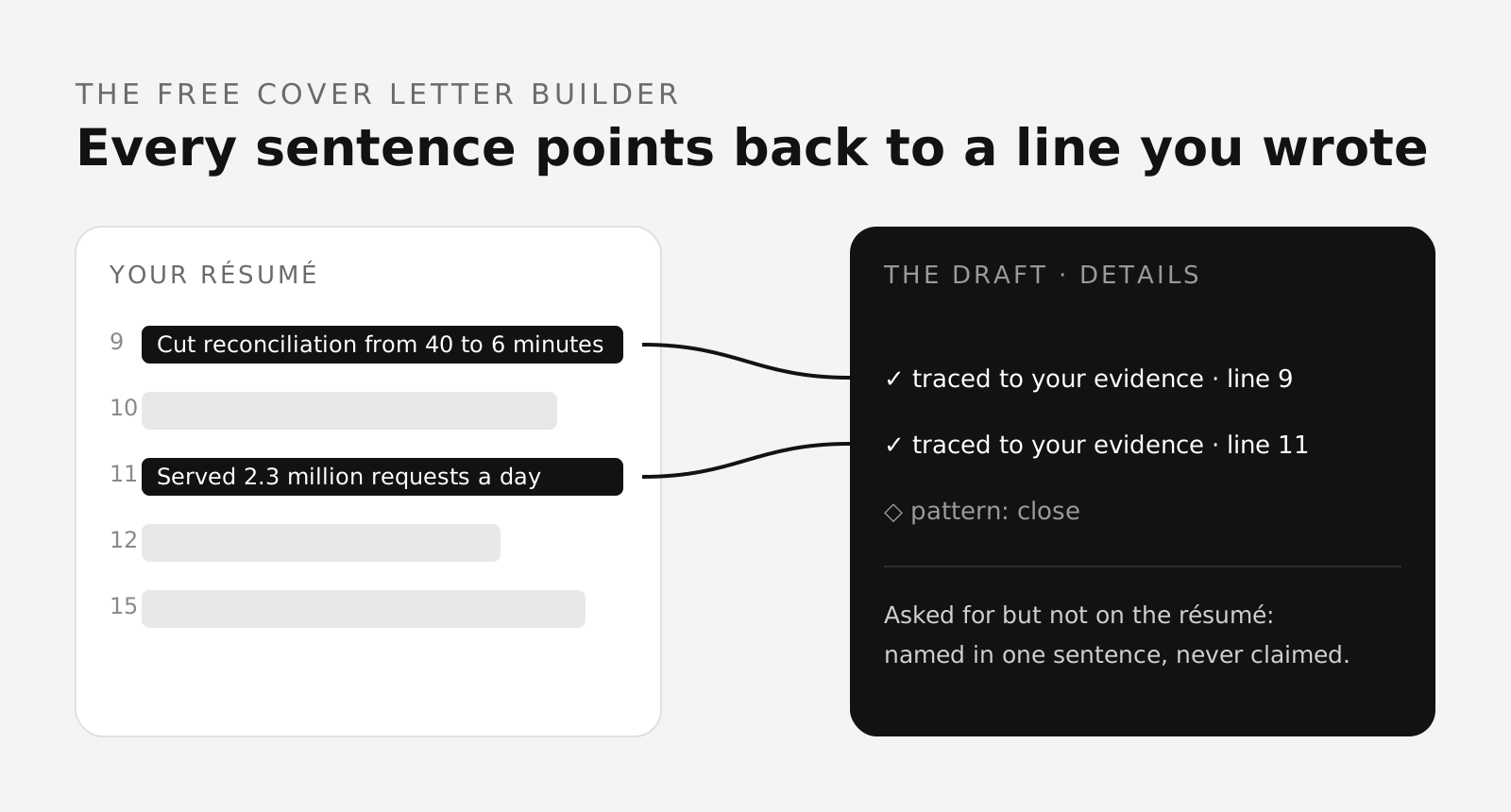
A letter in blocks, each editable and each with its own word count. Open Details on a block and every sentence is listed with the line of the uploaded résumé it came from. That label exists because the engine selects sentences rather than writing them, and carries the source index along with each one. The effect is described in what evidence tracing looks like.
Where the posting asks for something your file does not evidence, the draft says so once, plainly, instead of claiming it. A posting that wants two technologies your résumé never mentions produces a letter that names them as things you have not used, and two things to be ready to talk about.
The old PDF is still the old PDF
Worth saying plainly: using a two-year-old file as evidence gives you a letter written from a two-year-old record. The letter can only be as current as the material. If the last eighteen months are missing from the PDF, they will be missing from the letter, and the unsupported requirements will quietly show you that by naming things you have actually done.
If that happens, the fix is to import the same file into the résumé builder, correct and extend it there, and draft the letter from the updated version.
Download, and what is kept
Print / Save PDF and Download DOCX, free, in any of the 12 designs, with no watermark and no account. The draft and its versions stay in this browser. The uploaded file is not stored anywhere on our side; the text is sent when the draft is requested, and that is the whole of it.
For the four steps in full, including the Before you send checklist, see writing a cover letter without an account.
A scanned or photographed résumé
If what you have is a photograph of a printed page, or a PDF that is really a scan, the same upload accepts it. The image goes through text recognition in this browser before anything is read, so no file leaves the tab to be turned into text. The result is usually good enough to draft from and worse than a text PDF: recognition loses bullet marks and occasionally a date, and on our own test scan it did not recover the name, so check the review before you confirm it.
Read checking a scanned résumé for what recognition does and does not keep. If the numbers look thin, paste the six or seven facts you want the letter to use as text instead. A short, accurate pool produces a better letter than a long, garbled one.
Use the résumé you already send people
Upload the PDF, check what was read, and every sentence of the letter records the line of that file it came from.
Open the cover letter builderScore that PDF firstQuestions
- Do I have to rebuild the résumé in the builder first
- No. The letter builder takes the file directly, so a PDF you already have is enough and nothing needs to be retyped.
- What formats does it accept
- PDF, Word (DOCX), plain text and images. An image or a scanned page goes through text recognition in the browser, the same path a scanned résumé takes at the ATS review.
- Is the file uploaded
- It is read in this browser first. Only the text it contains is sent on to be organised and, later, when you ask for the draft; the file itself is sent only if this browser could not read it.
- How do I know it read the PDF properly
- The review names the file, gives the number of words read and counts the roles, projects, degrees, languages and skills it found. If those numbers are far below your page, the PDF's layout is losing text, and the ATS review will show you the same thing in more detail.
- Can the letter claim something the PDF does not say
- No. The file is the boundary. A requirement in the posting that your résumé does not evidence is named once in the draft as something you have not used, and never asserted.
Conxfolio is a free set of four career tools: a résumé builder with 37 rendered layouts, an ATS résumé checker that prints its own arithmetic, a cover letter builder that traces every proof paragraph back to the line it came from, and a portfolio builder with 22 authored designs. There is no account to create, nothing is held back for a paid plan, and no language model is used anywhere in the product, so the readers, the score and the letter are deterministic code you can check.